Self-hosted, Apache 2.0
Deploy anywhere,
your way
From a laptop to a production Kubernetes cluster — APIHUB runs wherever you need it. No license fees, no vendor lock-in.
Docker Compose
Recommended for devA ready-to-run Compose stack for local development and demos: Portal, backend, builder, linter, agents backend, and PostgreSQL. Use Helm for production.
View docker-composeKubernetes / Helm
Production readyProduction-grade Kubernetes deployment with Helm charts. Full configurability via values.yaml — RBAC, resource limits, S3, SSO, monitoring, and API keys mounted as files.
helm install apihub -n qubership-apihub --create-namespace \
  -f values.yaml \
oci://ghcr.io/netcracker/charts/qubership-apihub --version <X.Y.Z>Build from Source
Open sourceThe whole repository is open source under Apache 2.0. Build any component, run the full test suite, and contribute back to the project.
View on GitHubArchitecture overview
Six containers in the Compose stack, cleanly separated. In Kubernetes, deploy only what you need.
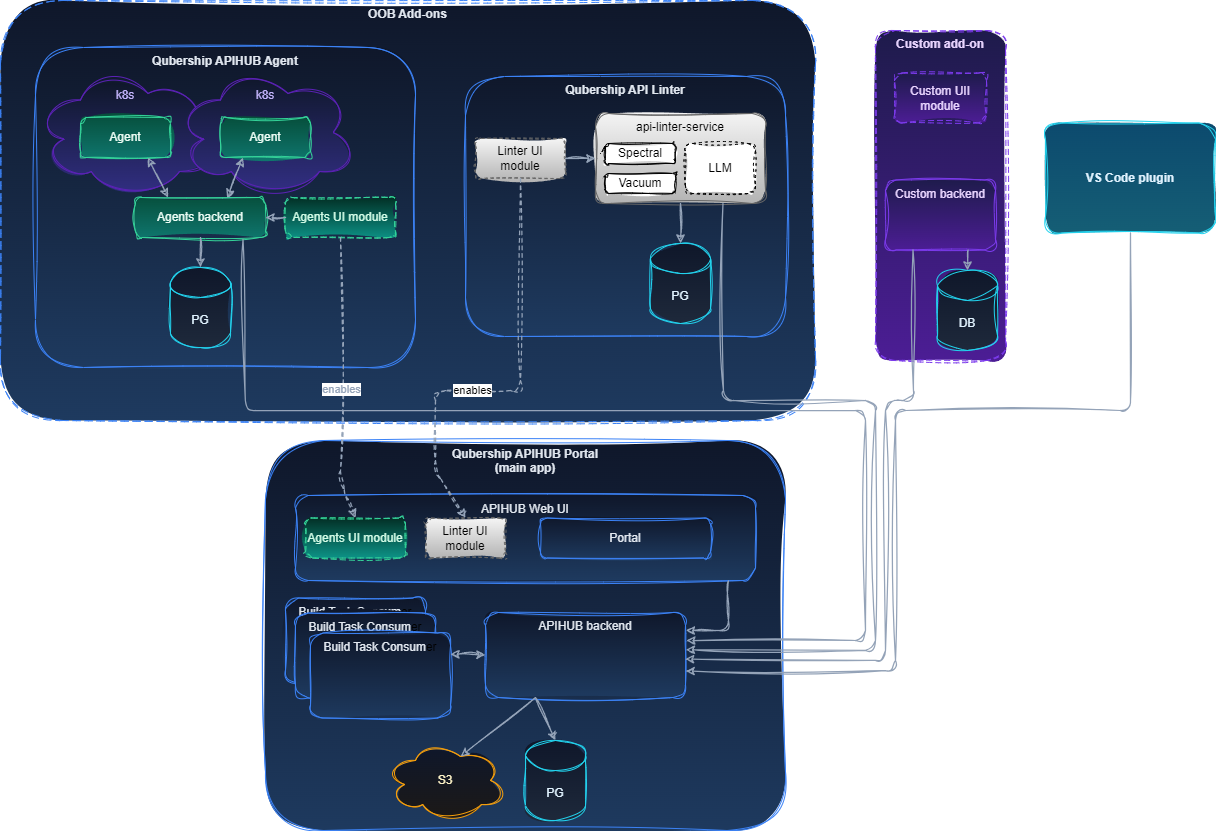
Service components
The generic Docker Compose stack for local development and demos runs these containers.