Architecture
Runtime flows
The C4 diagrams show structure. These three views show behaviour — what actually happens over time, and which service is waiting on which.
Publishing a version
Four participants. The worker does the heavy lifting and never holds state.
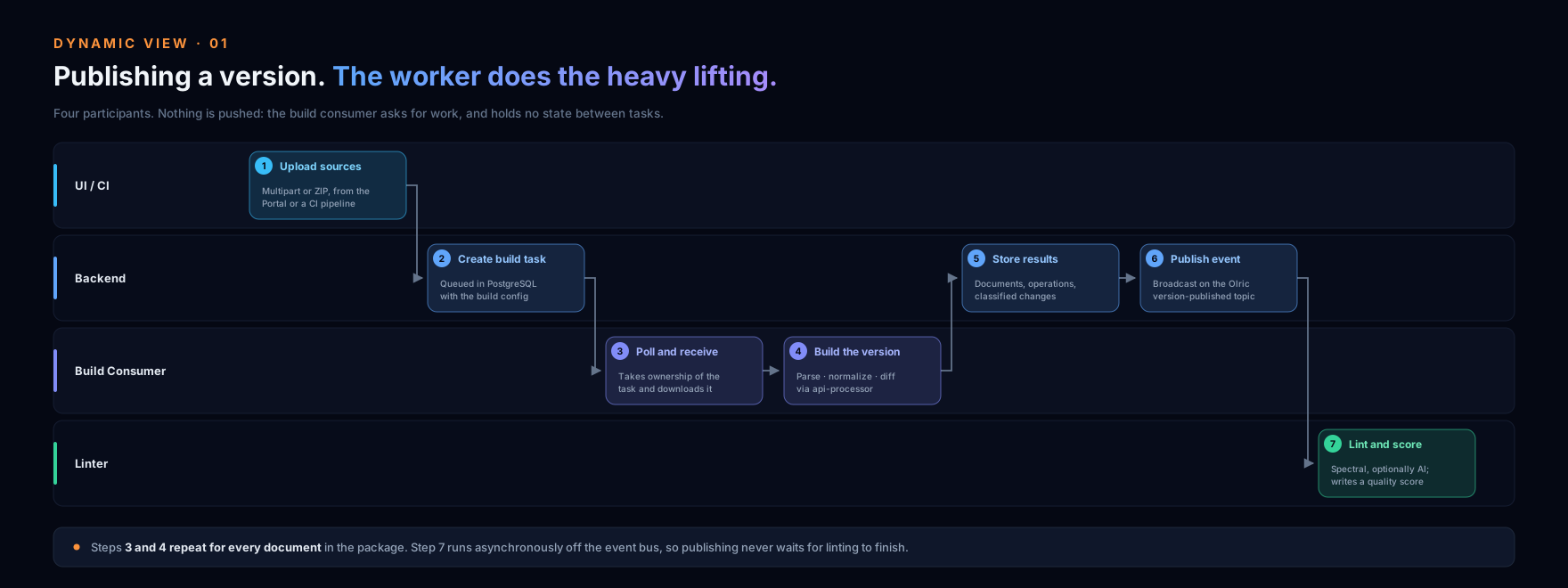
- 1 UI / CI
Upload sources
Multipart or ZIP
- 2 Backend
Create build task
Stored in PostgreSQL
- 3 Build Consumer
Poll and receive
Task ZIP with configuration
- 4 Build Consumer
Parse · normalize · diff
api-processor pipeline
- 5 Backend
Store results
Documents, operations, changes
- 6 Backend
Publish event
Olric topic
- 7 Linter
Lint and score
Spectral, optionally AI
Steps 3 and 4 repeat for every document in the package. Step 7 happens asynchronously, so publishing never waits for linting.
Finding APIs already running
The only flow that starts outside APIHUB — in someone else’s cluster.
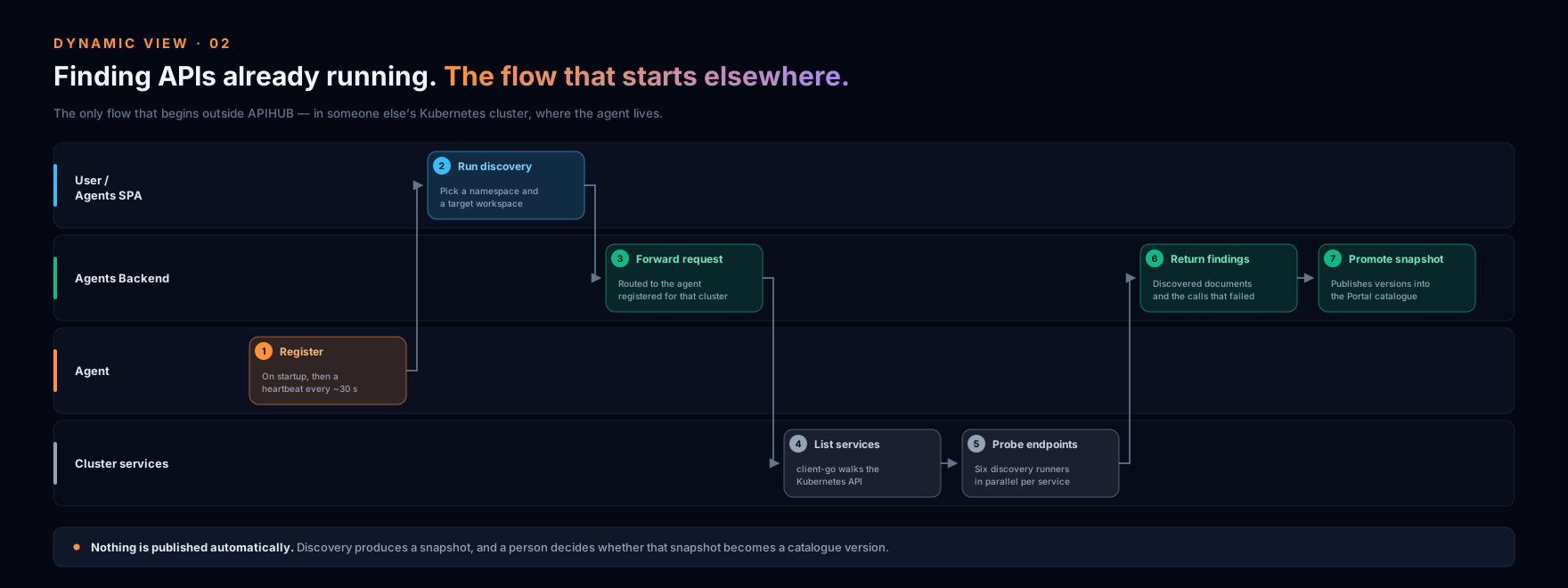
- 1 Agent
Register
On startup, then heartbeat
- 2 User / Agents SPA
Run discovery
Pick a namespace and workspace
- 3 Agents Backend
Forward request
To the chosen agent
- 4 Cluster services
List services
Via the Kubernetes API
- 5 Cluster services
Probe endpoints
Six runners in parallel
- 6 Agents Backend
Return findings
Documents and failed calls
- 7 Agents Backend
Promote snapshot
Publish versions to the Portal
Nothing is published automatically: discovery produces a snapshot, and a person decides whether it becomes a catalogue version.
How an AI agent reads the catalogue
Two paths lead into the same tools: an external client speaking the Model Context Protocol, or the chat built into the Portal. Access control is applied per user on every call, on both paths.
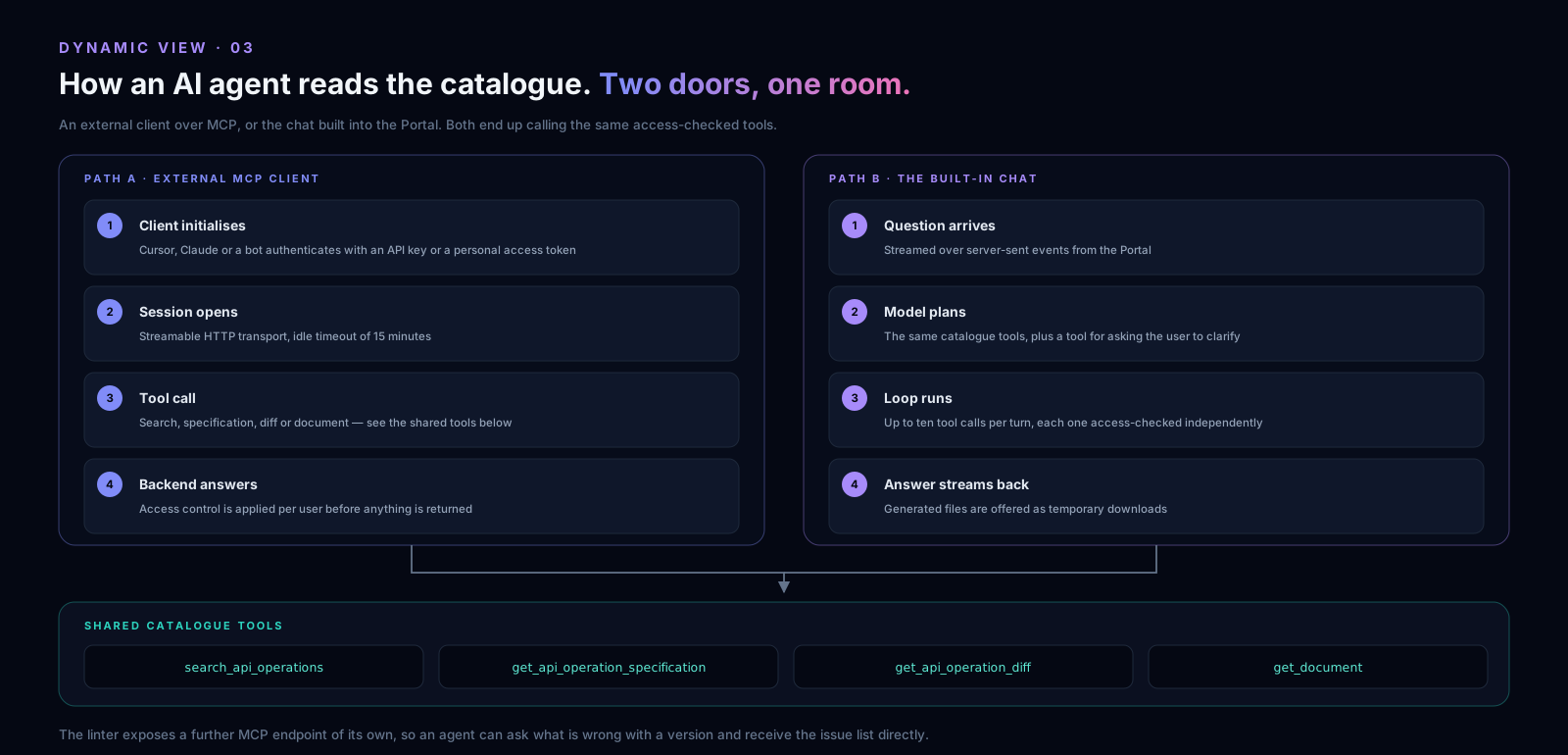
Path A · external MCP client
- 1
Client initialises
Cursor, Claude or a bot authenticates with an API key or personal token
- 2
Session opens
Streamable HTTP transport, idle timeout 15 minutes
- 3
Tool call
search, specification, diff or document
- 4
Backend answers
Access control applied per user before anything is returned
Path B · the built-in chat
- 1
Question arrives
Streamed over server-sent events from the Portal
- 2
Model plans
The same catalogue tools plus a clarification tool
- 3
Loop runs
Up to ten tool calls per turn, each one access-checked
- 4
Answer streams back
Generated files offered as temporary downloads
Shared catalogue tools
search_api_operations get_api_operation_specification get_api_operation_diff get_document
The linter exposes a further MCP endpoint of its own —
list_linter_issues_for_package_version —
so an agent can ask what is wrong with a version and receive the issue list directly, without going
through the catalogue tools at all.