DI-Agent-001 Version Validation
Design Item ID: DI-Agent-001
Design Item Name: Version Validation
Related Design Items: -
Related API:
- System info (GET /api/v1/system/info)
- Get package by Id (GET /api/v2/packages/{packageId})
Revision History:
| Date | Description |
|---|---|
Description
Section titled “Description”This design defines the validation behavior for the Version field in the Promote Version step in Agent.
Start Point
Section titled “Start Point”- User navigates to APIHUB Portal → Agent
Execution
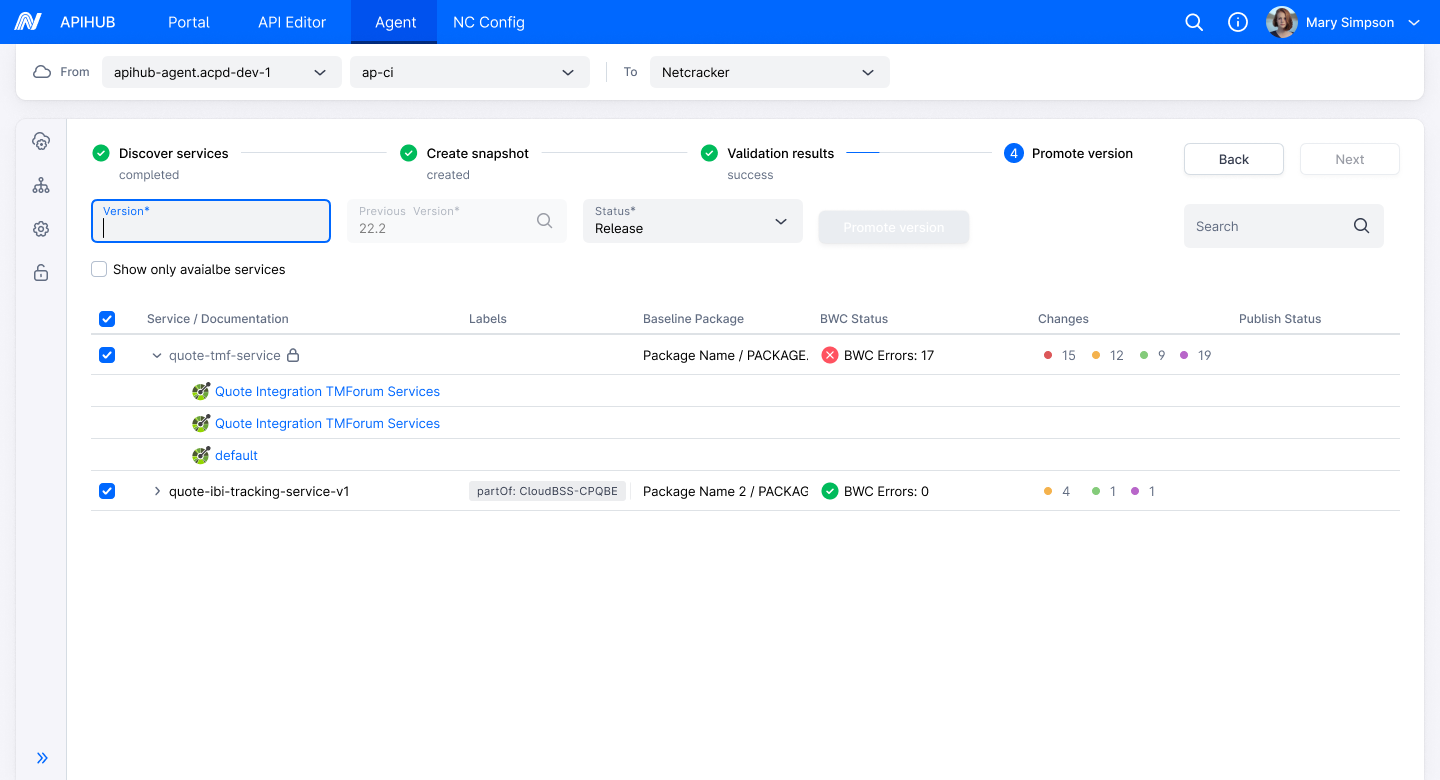
Section titled “Execution”- User navigates to Promote Version step
- The system displays services for which a snapshot has been created and which have a baseline package in the portal.
- To promote a version, the user
- Selects the required service(s)
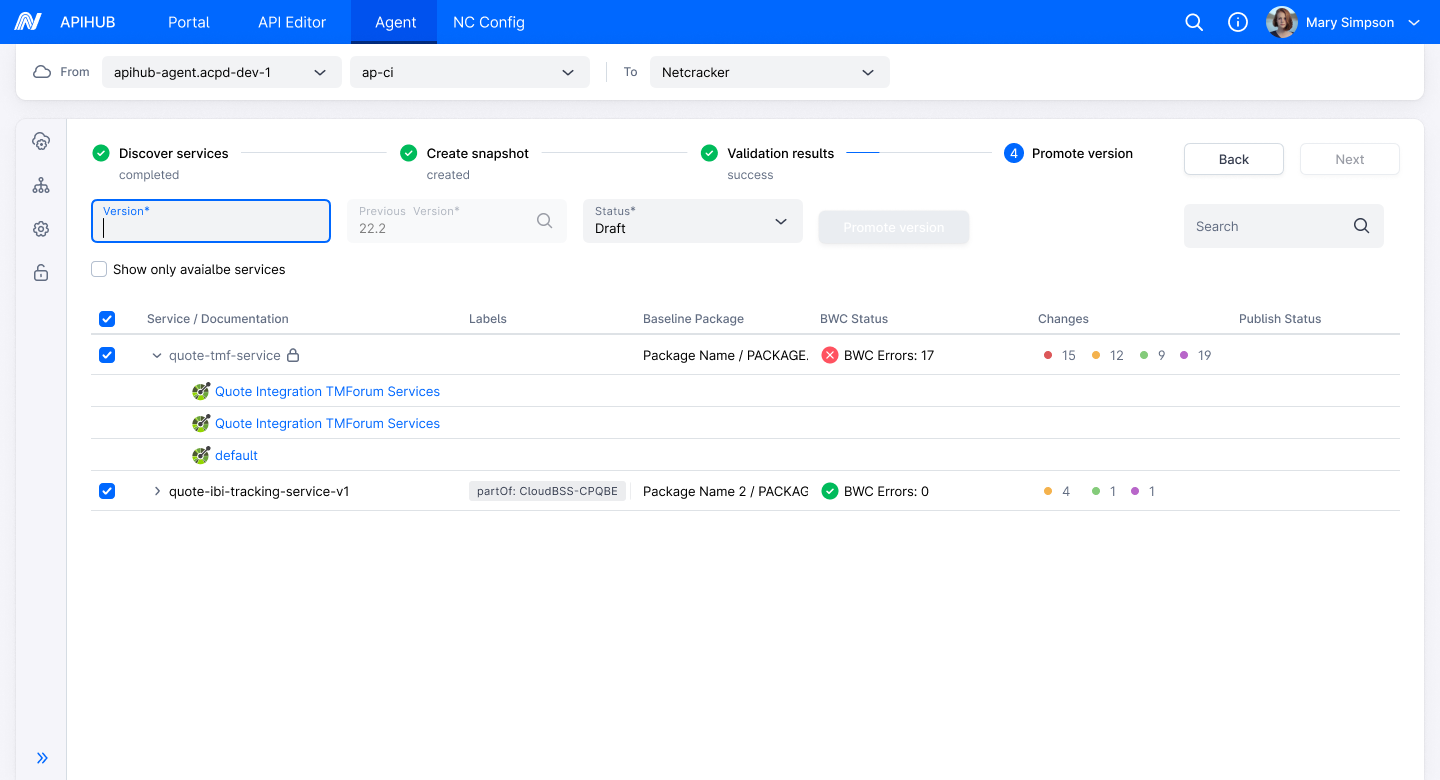
- Specifies the Version field
- Reviews the predefined Previous Version (auto-filled from the baseline version set during create snapshot step)
- Selects the Status (Draft or Release)
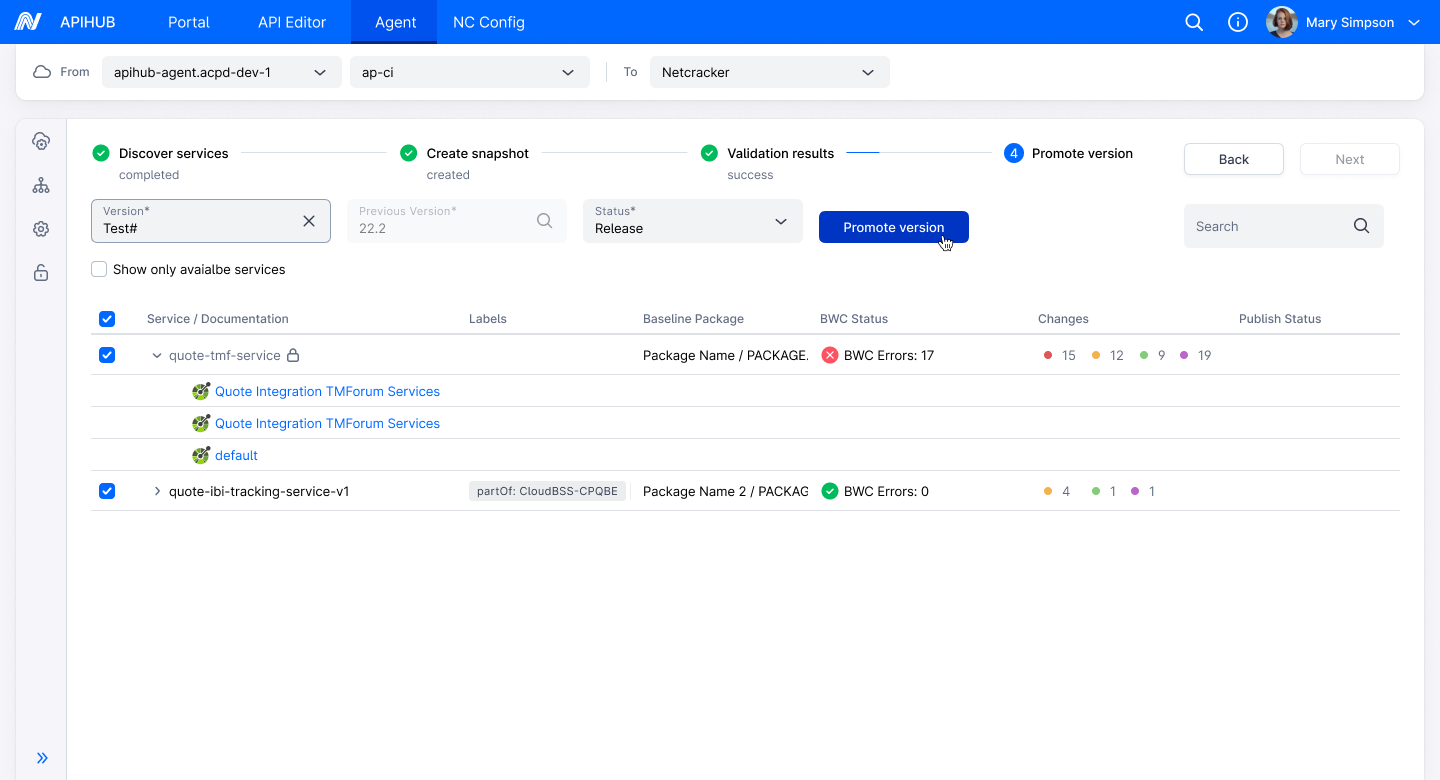
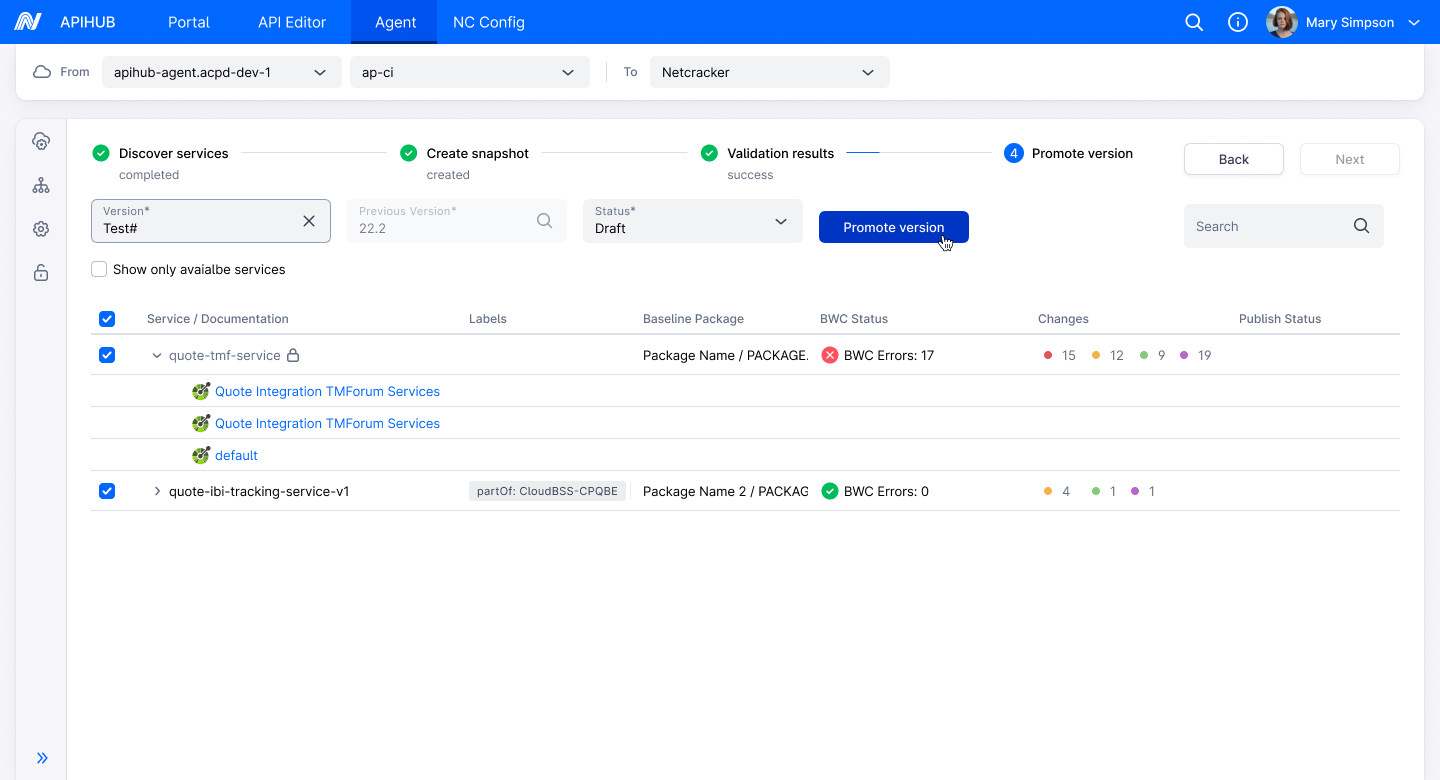
- Clicks the Promote Version button.
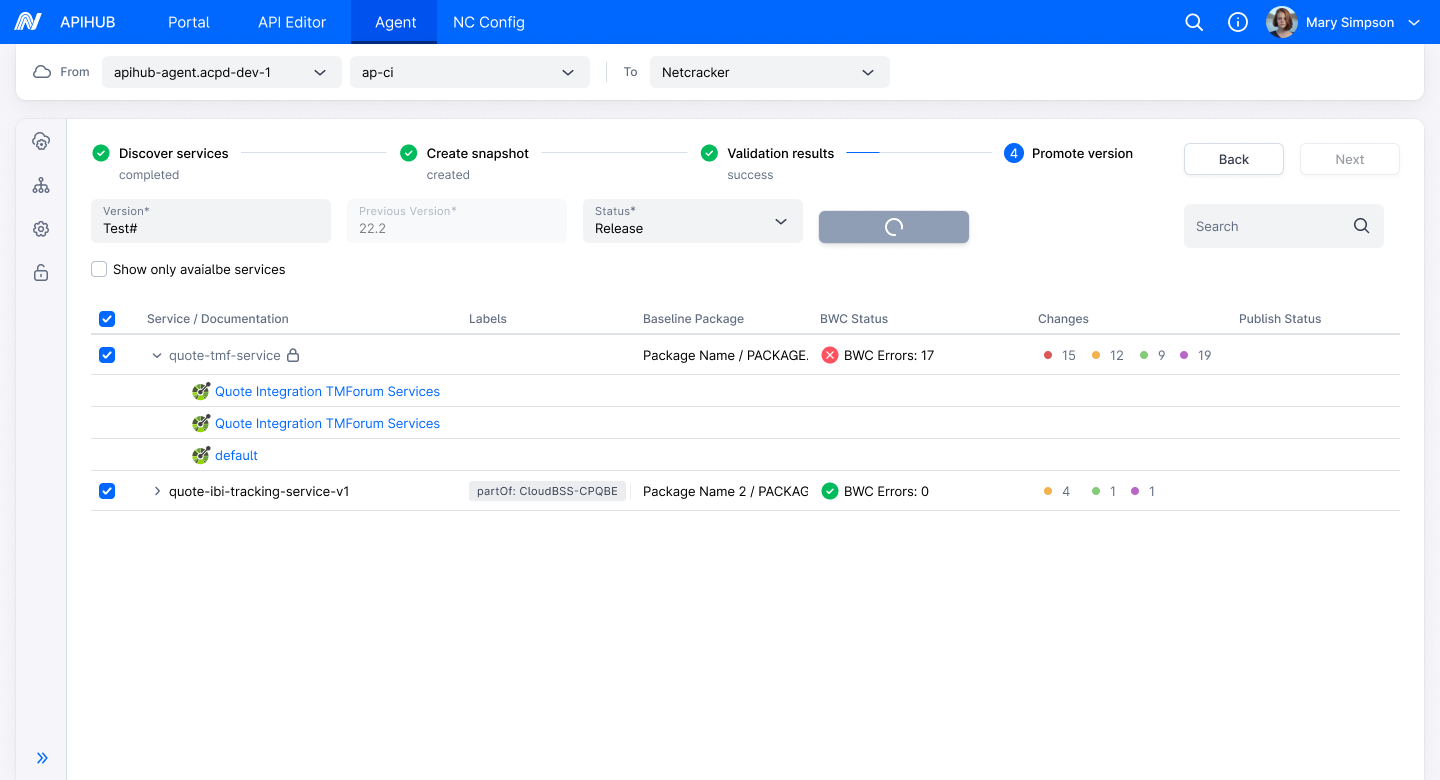
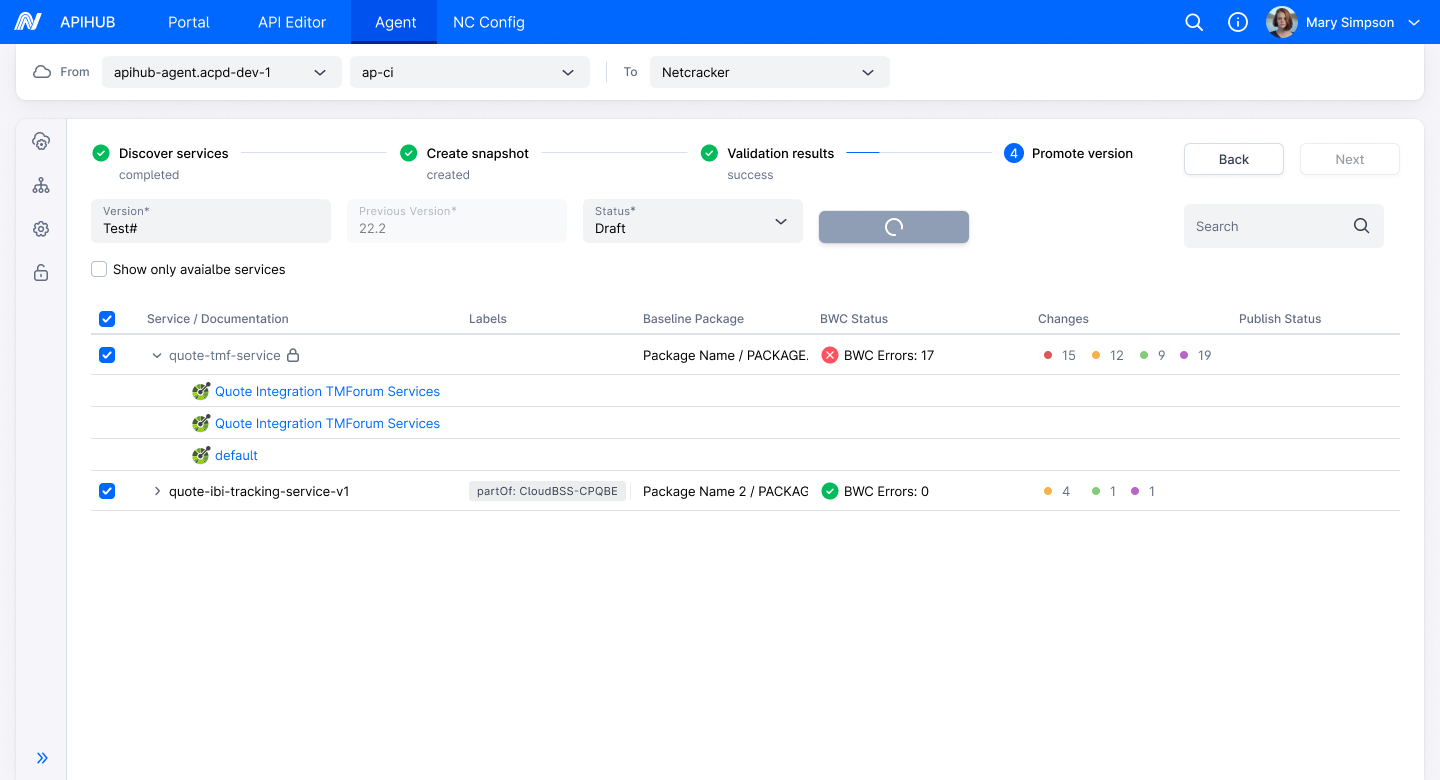
- The system displays a loading icon on the Promote Version button.
- For status = Draft
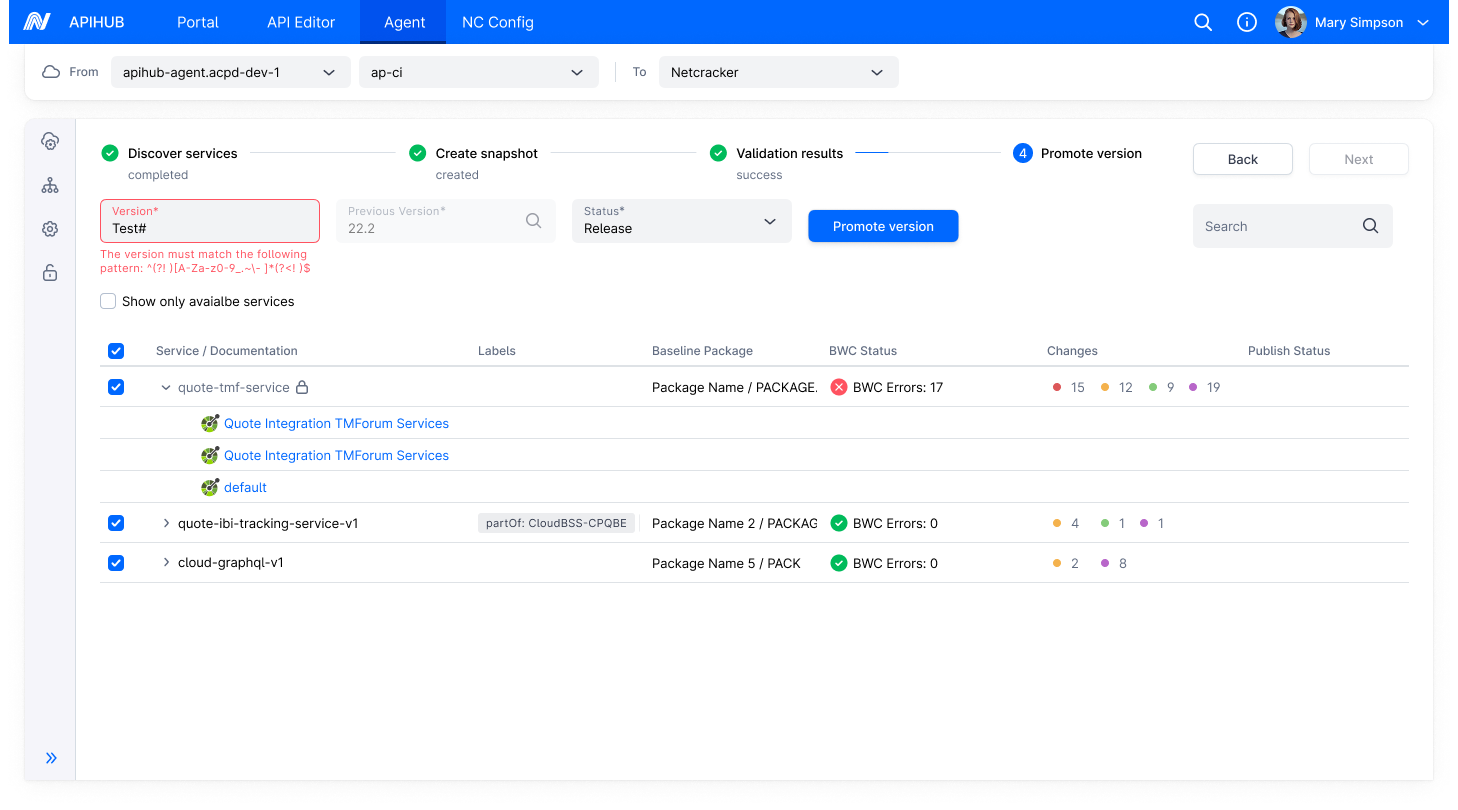
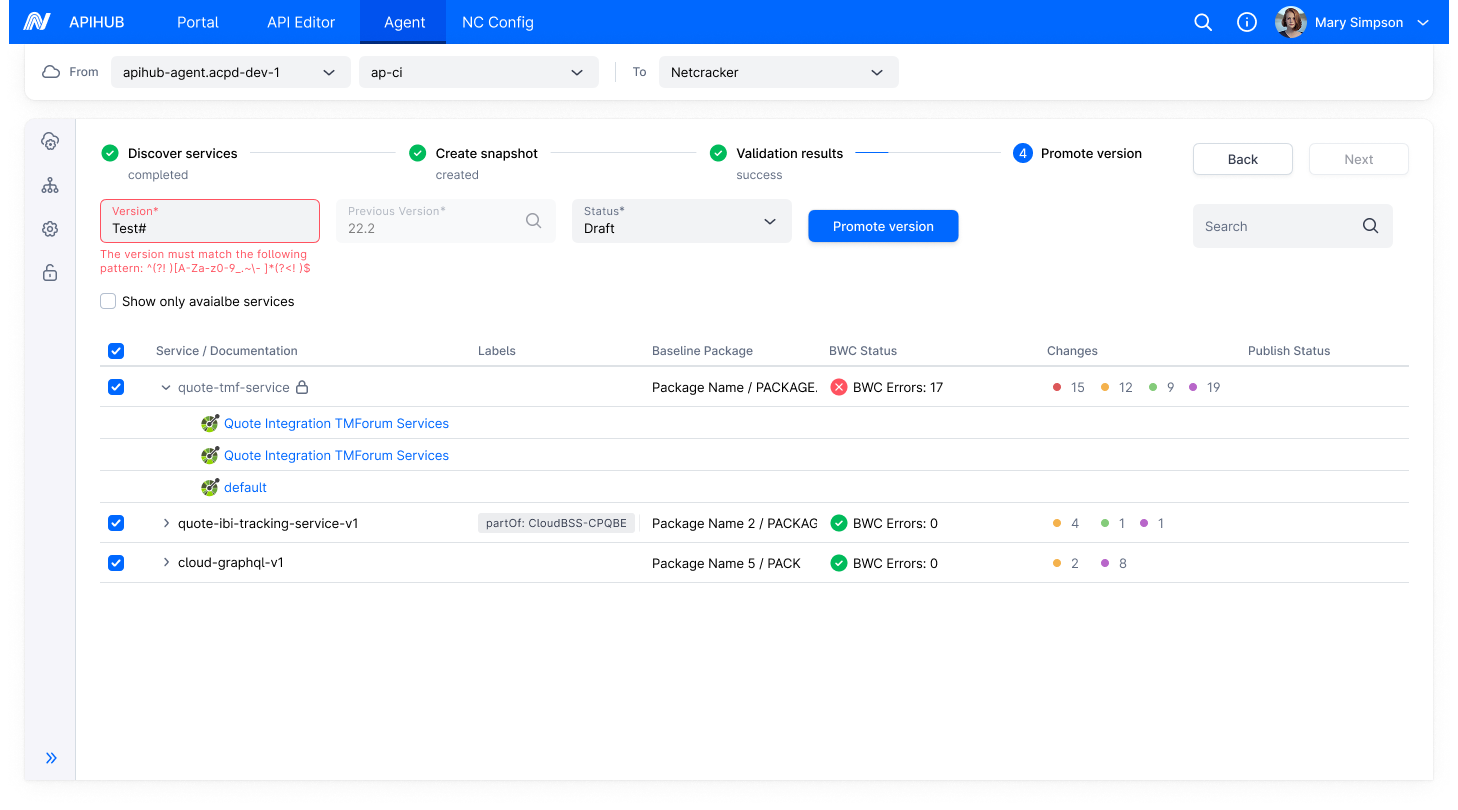
- The system validates the version field input against the Global Version Pattern.
- If invalid:
- The system display the error message below version field: “The version must match the following pattern: <pattern>”
- <pattern> = Version Pattern from Global Settings.
- If valid:
- The system proceeds to promote the version in the Portal.
- If invalid:
- The system validates the version field input against the Global Version Pattern.
- For status = Release
- The system validates the version field input against the Global Version Pattern first.
- If invalid:
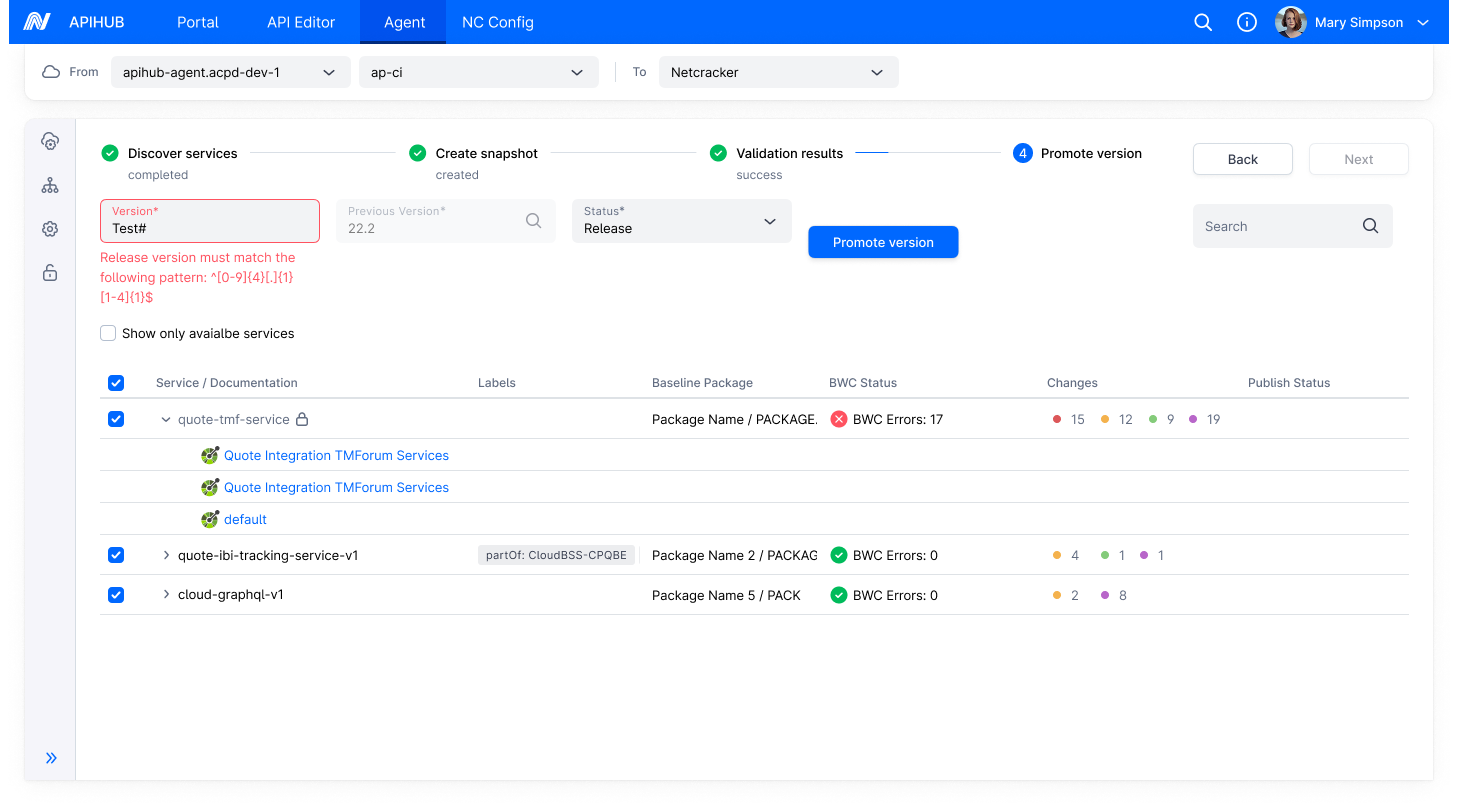
- The system displays the error message below version field: “The version must match the following pattern: <pattern>”
- <pattern> = Version Pattern from Global Settings.
- If valid:
- The system validates the version field input against the Release Version Pattern of each selected service’s baseline package (if the pattern is present).
- If a service’s baseline package has an empty Release Version Pattern, Package-level Release Version Pattern validation for that service is skipped.
- When all selected services have the same non-empty Release Version Pattern:
- If validation fails:
- The system displays the error message below Version field: “Release version must match the following pattern: <pattern>”
- <pattern> = Common Release Version Pattern
- If validation passes:
- The system proceed to promote the version in the Portal.
- If validation fails:
- When selected services have different non-empty Release Version Patterns, or a mix of patterns and empty:
- The system validates the Version field individually against each service’s Release Version Pattern.
- For services with empty Release Version Pattern, skip validation.
- If validation fails for any service:
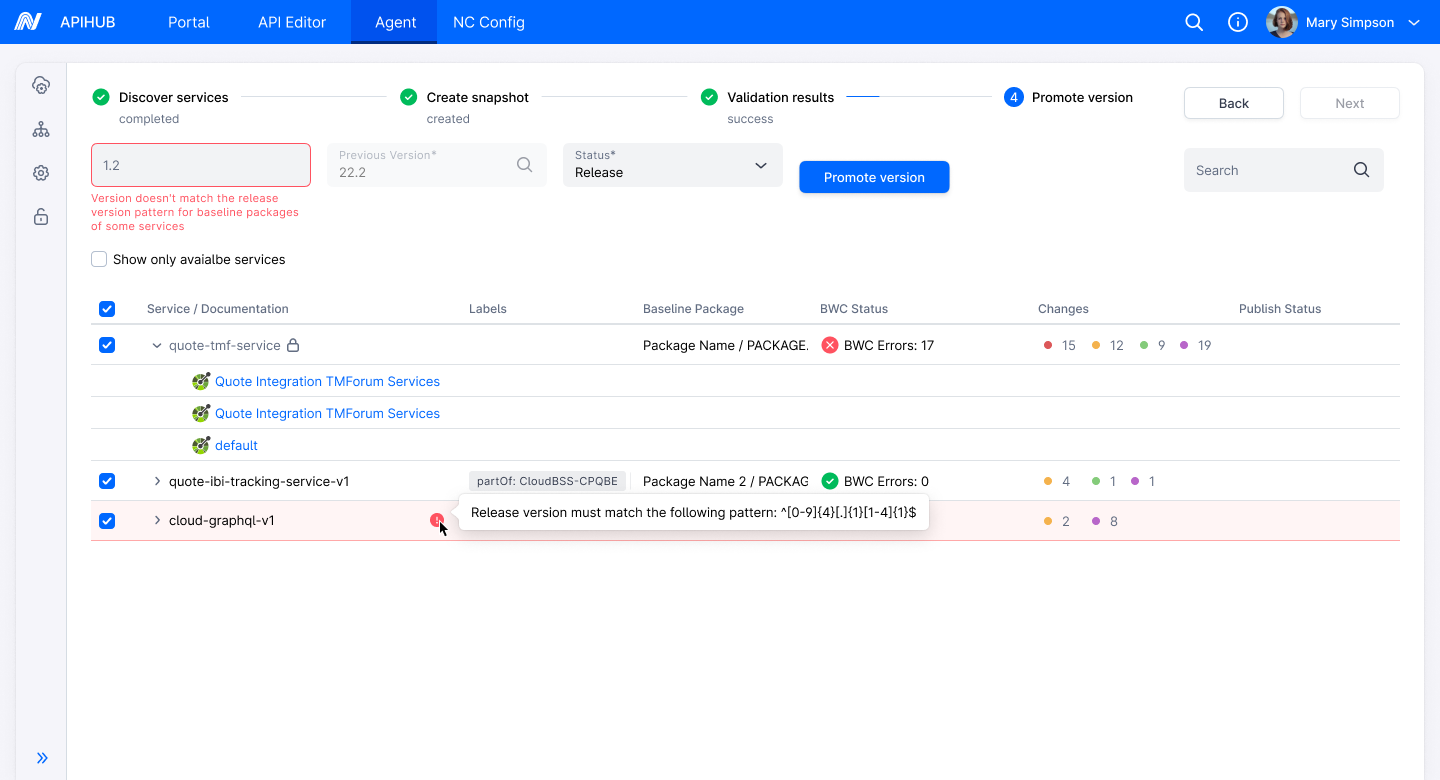
- The system displays the generic error message below Version field: ”Version doesn’t match the release version pattern for baseline packages of some services”
- For each failing service:
- The system display an info icon next to the service and on hover, the system display a tooltip:
- “Release version must match the following pattern: <pattern>”
- <pattern> = Release Version Pattern of the respective service’s baseline package.
- The system display an info icon next to the service and on hover, the system display a tooltip:
- If validation passes for all services (or skipped where applicable):
- The system proceeds to promote the version in the Portal.
- When all selected services have an empty Release Version Pattern:
- The system skips Release Version Pattern validation entirely.
- Since the Global Version Pattern already passed:
- Proceed to promote the version in the Portal.
- If invalid:
- The system validates the version field input against the Global Version Pattern first.
Security
Section titled “Security”User must have “manage” permission for the package to promote version in respective status.
Mockups
Section titled “Mockups”For Draft Status:
For Release status: