DI-Portal-OPVIEW-001 REST Operation Schema Rendering in Doc View
Design Item ID: DI-Portal-OPVIEW-001
Design Item Name: REST Operation Schema Rendering in Doc View
Related Design Items:
Related API: -
Revision History:
| Date | Description |
|---|---|
APIHUB doc view allows a user with the ability to view content of REST operation in user friendly and interactive way. Current page dedicated to the schema rendering of REST operations for OAS 3.0.
property name, title, type, format
Section titled “property name, title, type, format”The property name is displayed in bold, followed by the type.
type and format of scalar
Section titled “type and format of scalar”-
If property is reference to components.schemas, it will be displayed in the same way as if it were inline. If the referenced schema has title it is displayed in angle brackets.
properties:inHouseManufacturer:type: objecttitle: InHouse Manufacturerproperties:id:type: stringname:type: string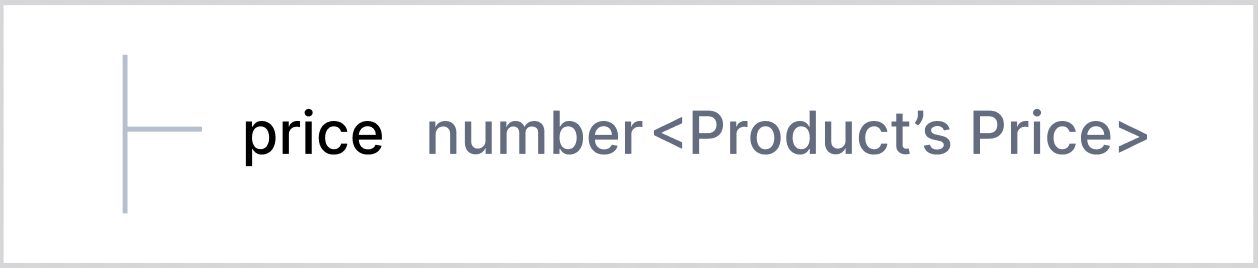
-
If the referenced schema does not have title, then referenced schema key is displayed in angle brackets.
properties:price:$ref: "#/components/schemas/Price"components:schemas:Price:type: number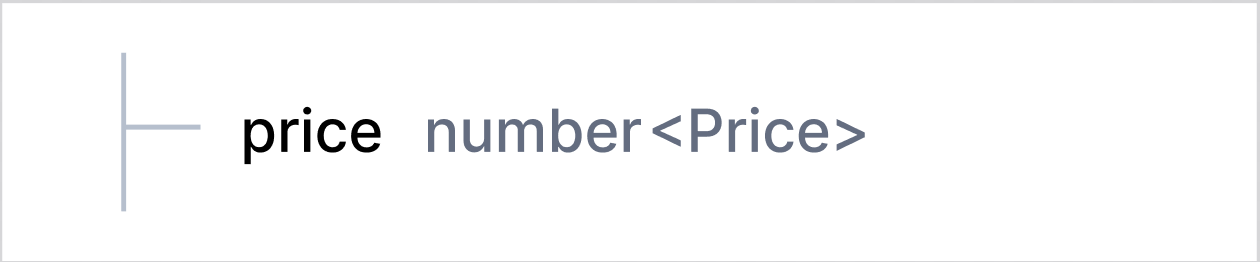
-
If a scalar property has defined format, it is displayed in angle brackets next to the type. In this case neither schema title nor schema key is displayed if property is reference to components.schemas
properties:price:$ref: "#/components/schemas/Price"components:schemas:Price:type: numberformat: float
===
properties:price:type: numberformat: float
object type
Section titled “object type”If property with object type has title, it will be displayed in angle brackets. If object property contains nested properties, a chevron icon appears before the property name to collapse or expand (collapsed by default) the section with child properties.
properties: inHouseManufacturer: type: object title: InHouse Manufacturer properties: id: type: string name: type: string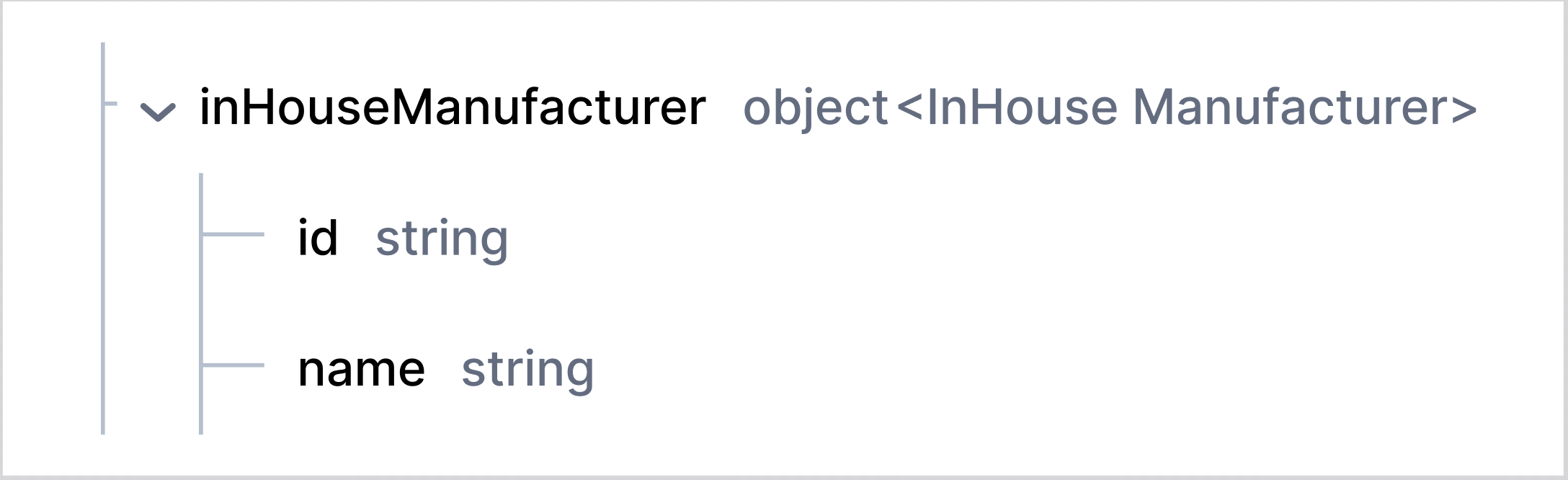
If property is reference to components.schemas, it will be displayed in the same way as if it were inline. If the referenced schema has title it will be displayed in angle brackets.
properties: referencedManufacturer: $ref: "#/components/schemas/Manufacturer"components: schemas: Manufacturer: type: object title: Manufacturer22 properties: name: type: string address: type: object title: Address33 properties: street: type: string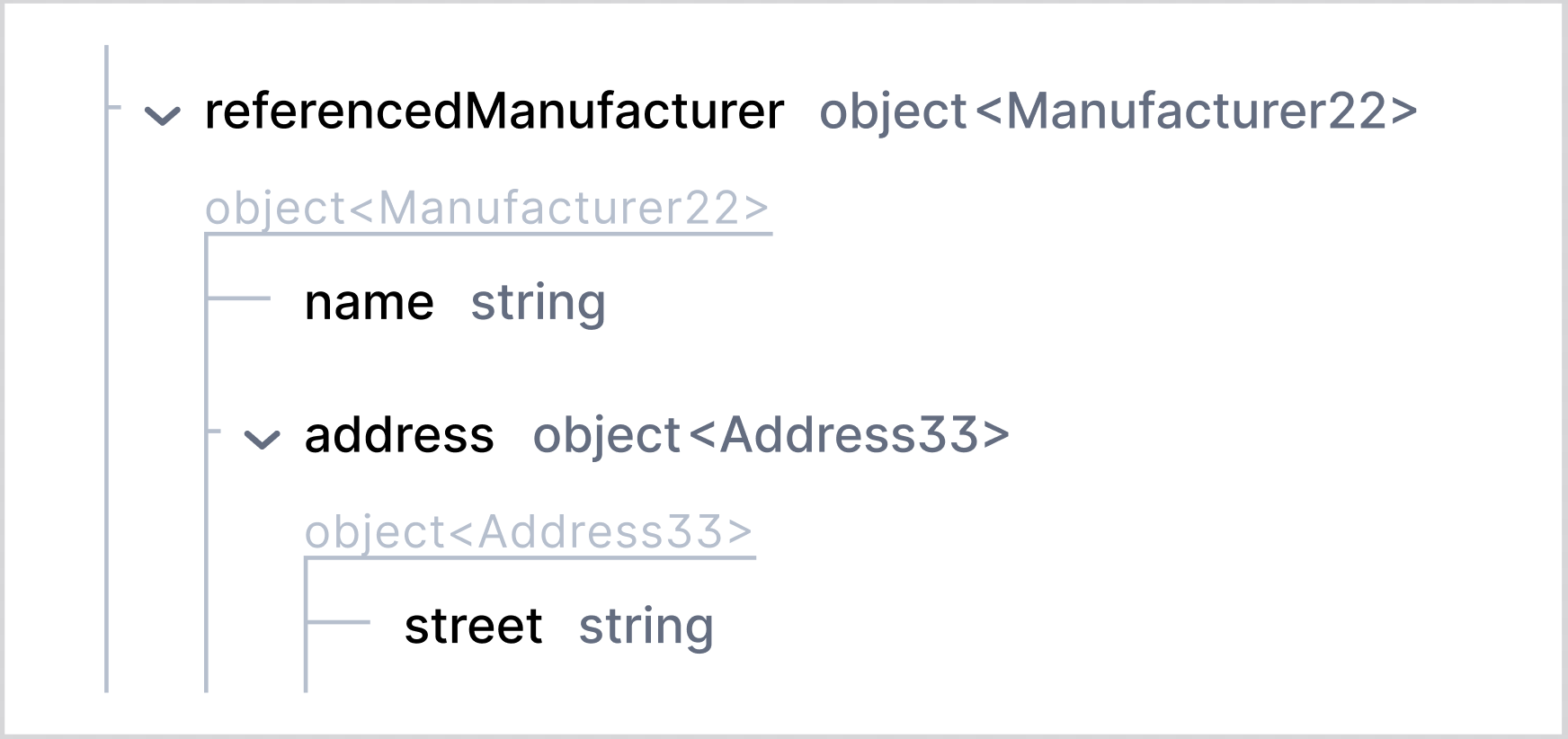
However, If the referenced schema does not have title, then referenced schema key will be displayed in angle brackets.
properties: referencedManufacturer: $ref: "#/components/schemas/Manufacturer"components: schemas: Manufacturer: type: object properties: name: type: string address: type: object properties: street: type: string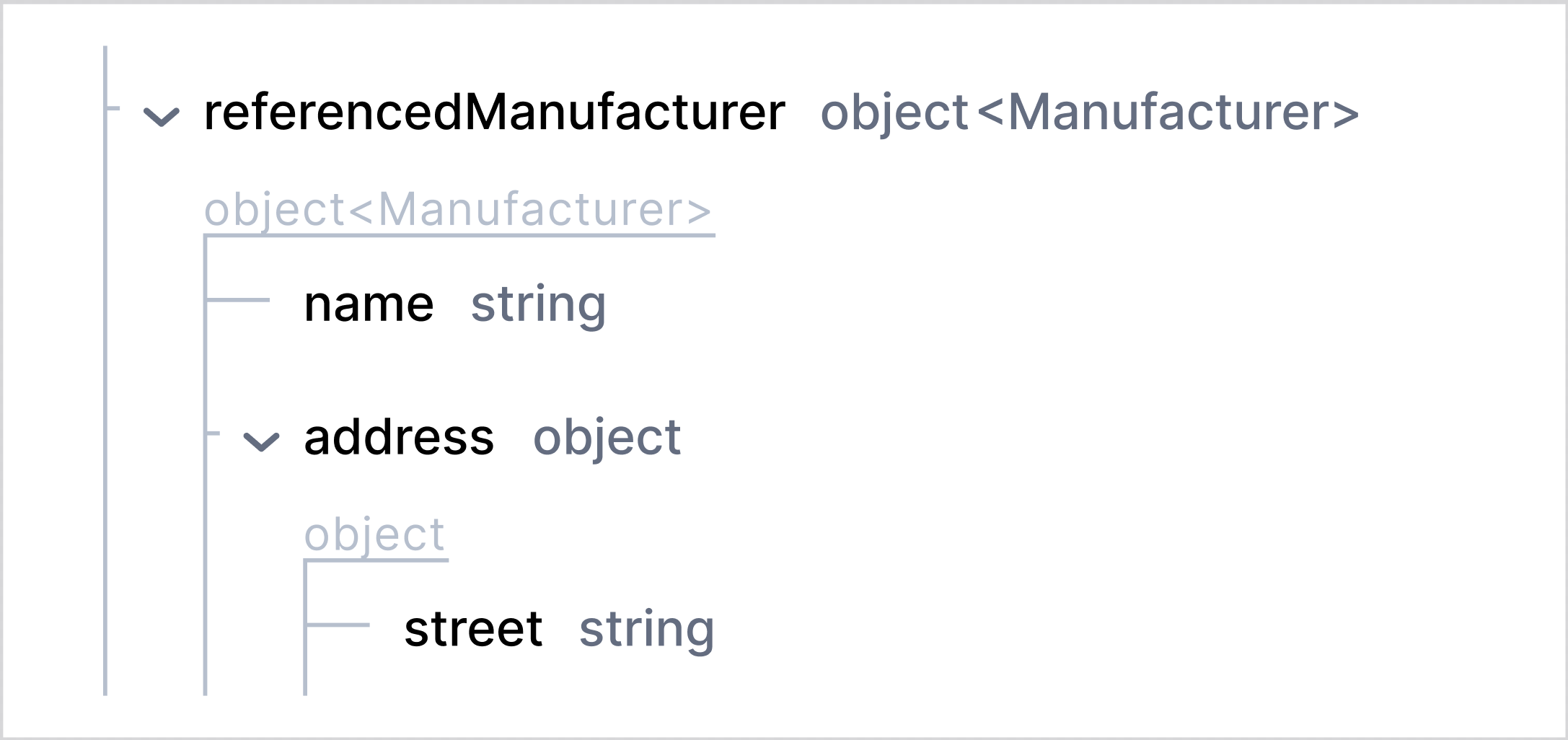
Property with array type has chevron before the property name to collapse or expand (collapsed by default) the section with array items (for information about items, see “items” section)
properties: tags: type: array items: type: string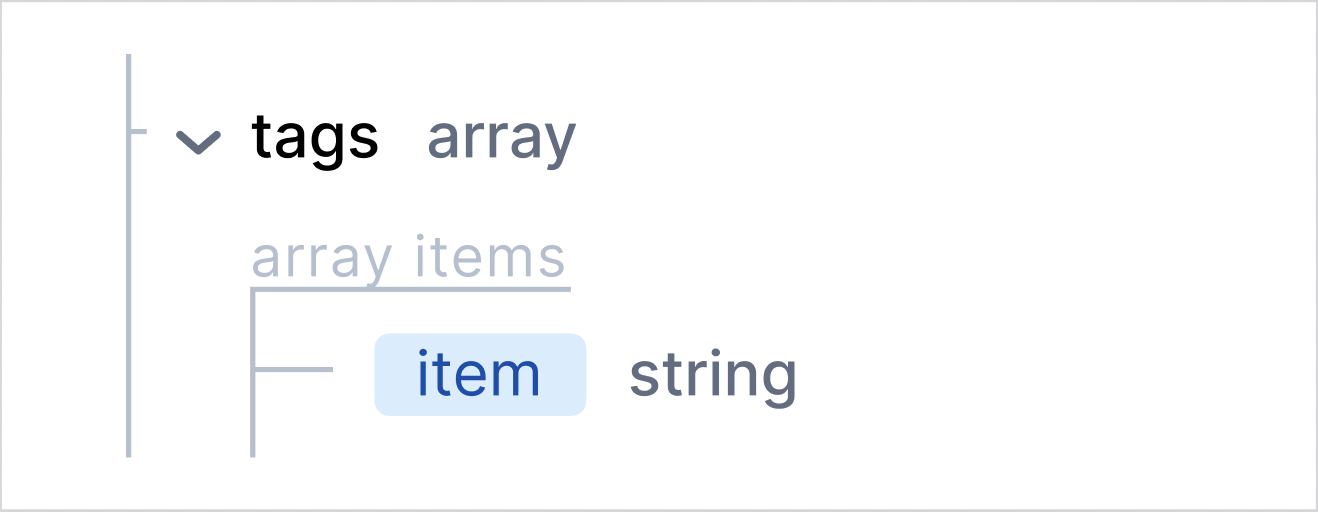
scalar’s specific attributes
Section titled “scalar’s specific attributes”minimum/maximum and exclusiveMinimum/exclusiveMaximum
Section titled “minimum/maximum and exclusiveMinimum/exclusiveMaximum”Minimum and maximum values are displayed as “Value range” under property name. Each value (minimum/maximum) and its corresponding condition represented in separate chips.
properties: price: type: integer format: int32 minimum: 1 exclusiveMinimum: true maximum: 100 exclusiveMaximum: true
If exclusiveMinimum/exclusiveMaximum is true, appropriate chips with minimum/maximum values will show “<” or “>” signs.
If exclusiveMinimum/exclusiveMaximum is not specified in specification or specified with “false” value, appropriate chips with minimum/maximum values will show “<=” or “>=” signs.
properties: price: type: integer format: int32 minimum: 1 exclusiveMinimum: true maximum: 100 exclusiveMaximum: true
multipleOf
Section titled “multipleOf”The multipleOf value is displayed as “Value multipleOf,” with the specific value shown in a separate chip.
properties: price: type: number multipleOf: 2
pattern
Section titled “pattern”The pattern value is displayed as “Value pattern,” with the regular expression shown in a separate chip.
properties: text: type: number pattern: ^[A-Za-z0-9_]+$
minLength/maxLength
Section titled “minLength/maxLength”The minLength and maxLength values are displayed next to the “Value Length” label, with each value is shown with its respective condition in separate chips.
properties: text: type: string minLength: 5 maxLength: 20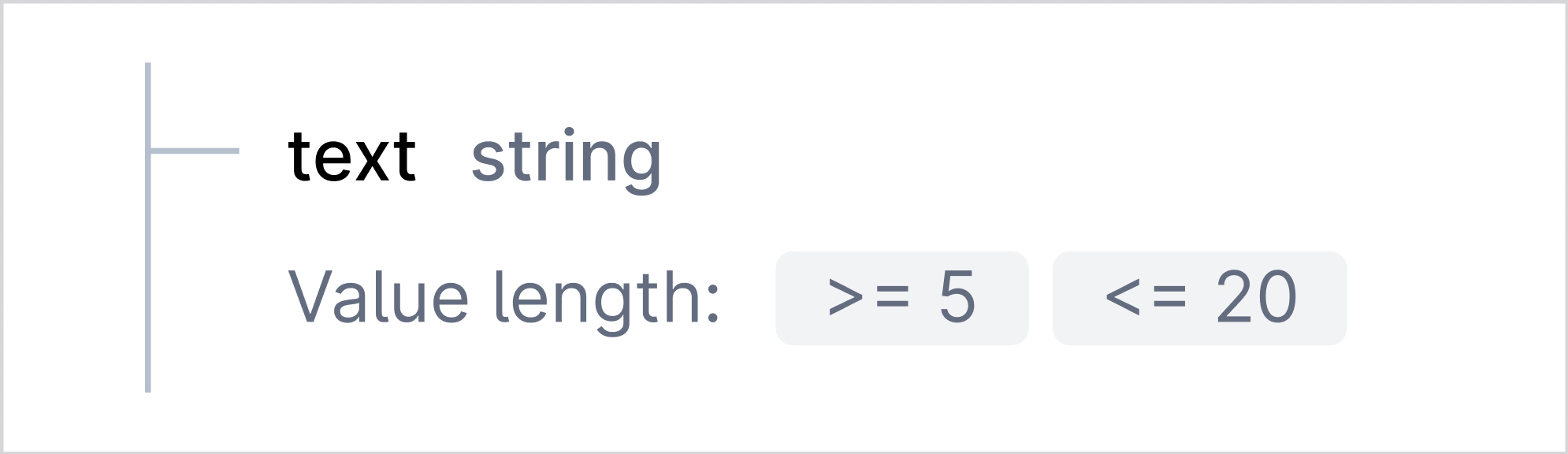
nullable
Section titled “nullable”By default, nullable is false and doc view does not display default value of this attribute even if it is explicitly specified.
if “nullable: true” is specified, then null value is displayed next to schema/property type.
properties: money: type: object nullable: true properties: value: type: string description: A value of money in selected currency (unit). nullable: true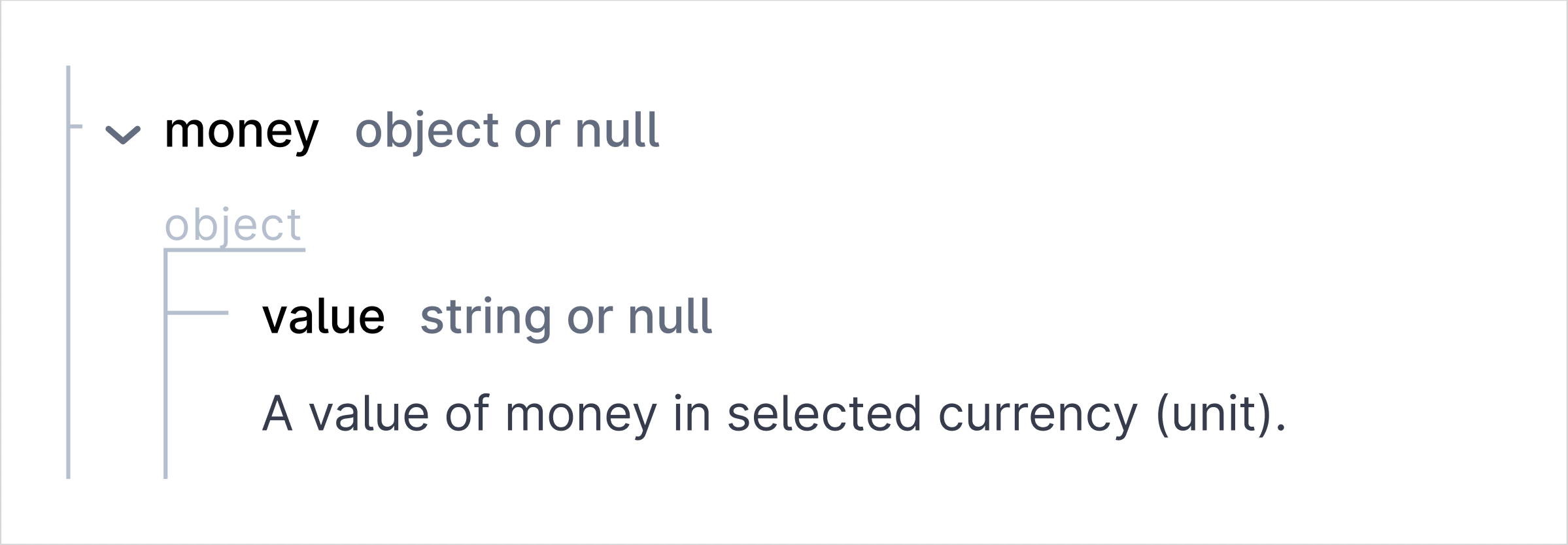
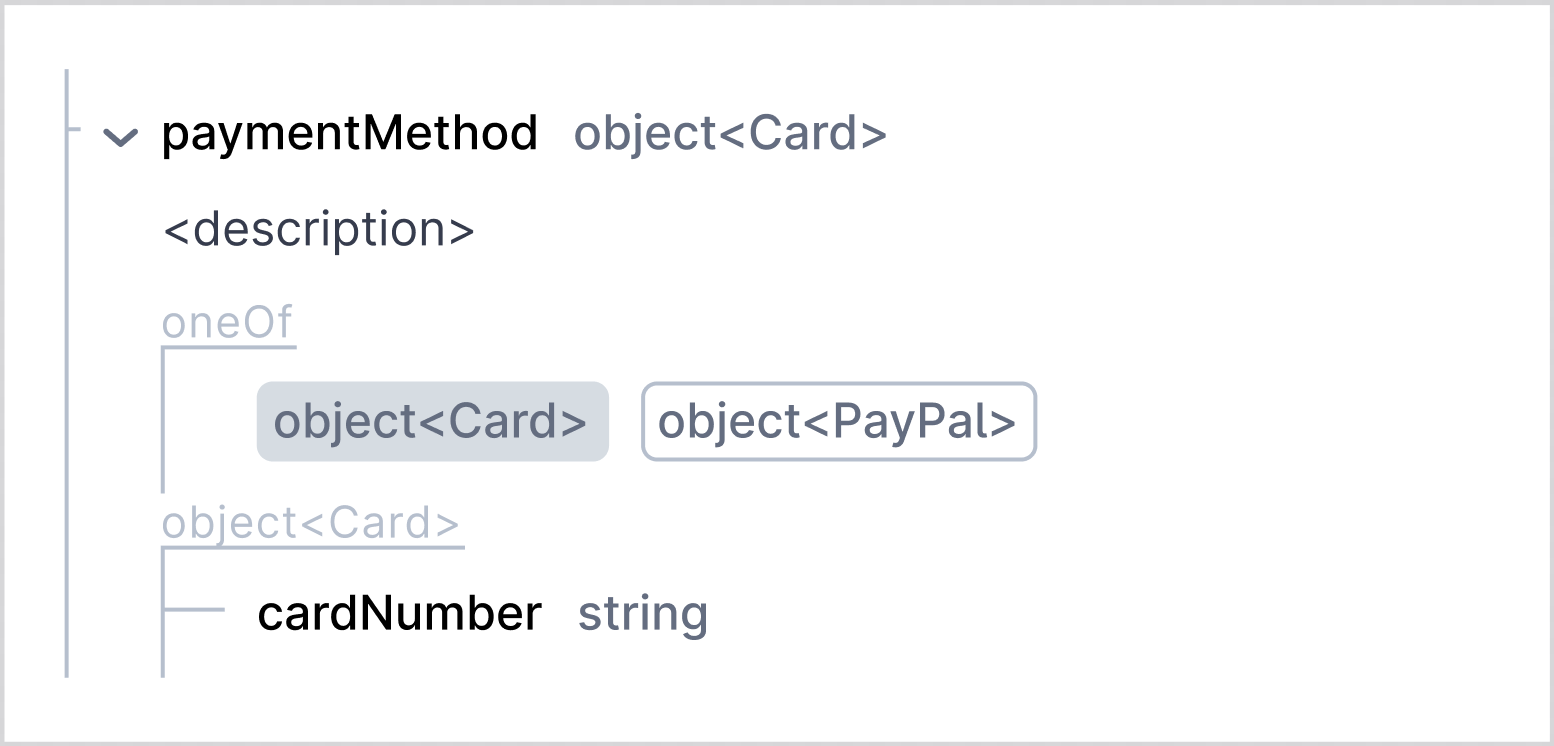
If there is oneOf/anyOf combiner and one of the subschema is nullable, then only when selecting such subschema “or null will be displayed”
properties:  paymentMethod:    oneOf:      - $ref: "#/components/schemas/Card"      - $ref: "#/components/schemas/PayPal"
components:schemas:  PayPal:    type: object    nullable: true    properties:      payAccount:        type: string  Card:    type: object    properties:      cardNumber:        type: string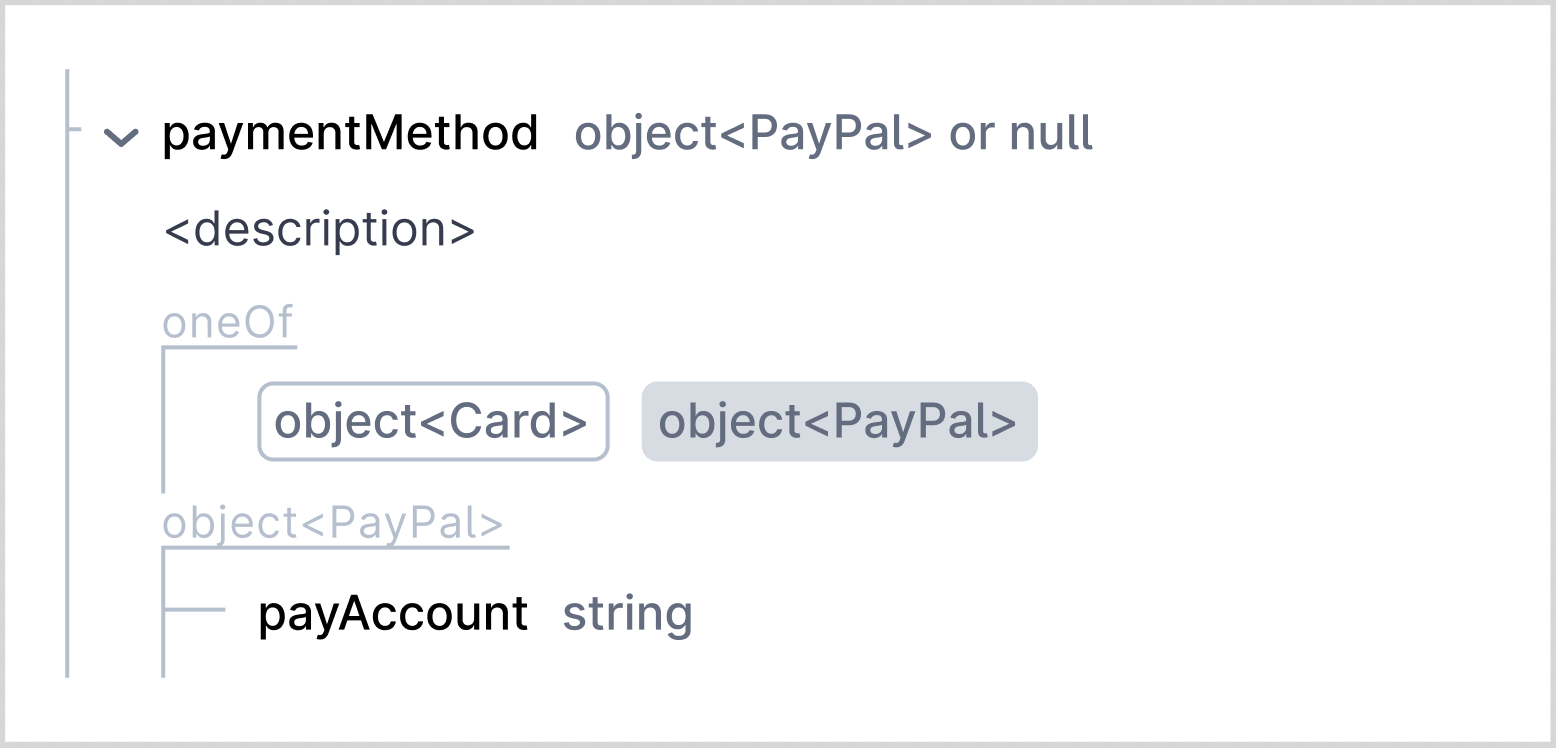
description
Section titled “description”Description of the property is displayed below the property name and type.
properties: id: type: number format: float description: The unique identifier of the user.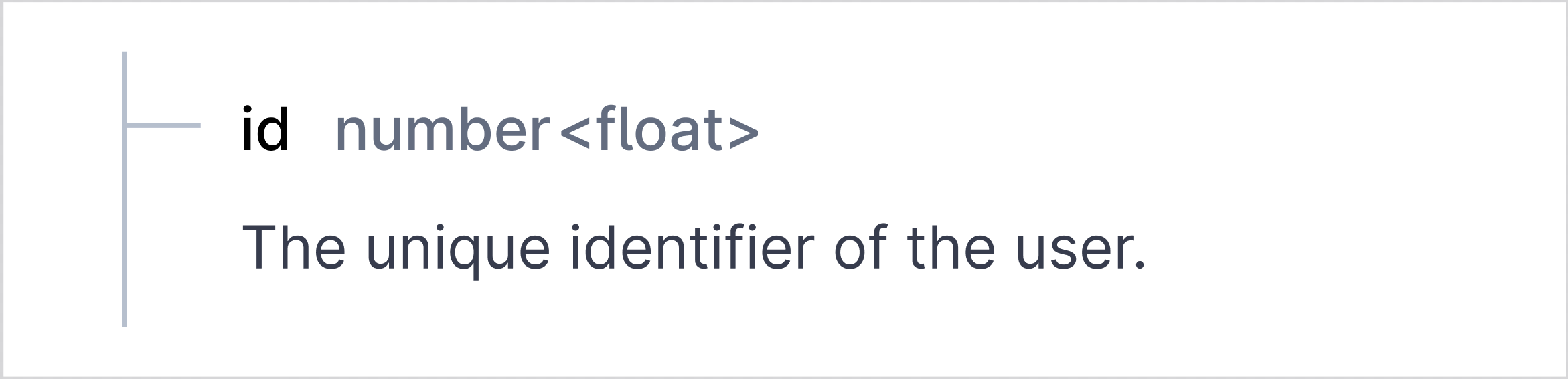
List of enums values is displayed as “Allowed values”. Each enum value is displayed in separate chip.
Example 1:
properties: color: type: string enum: - black - white - red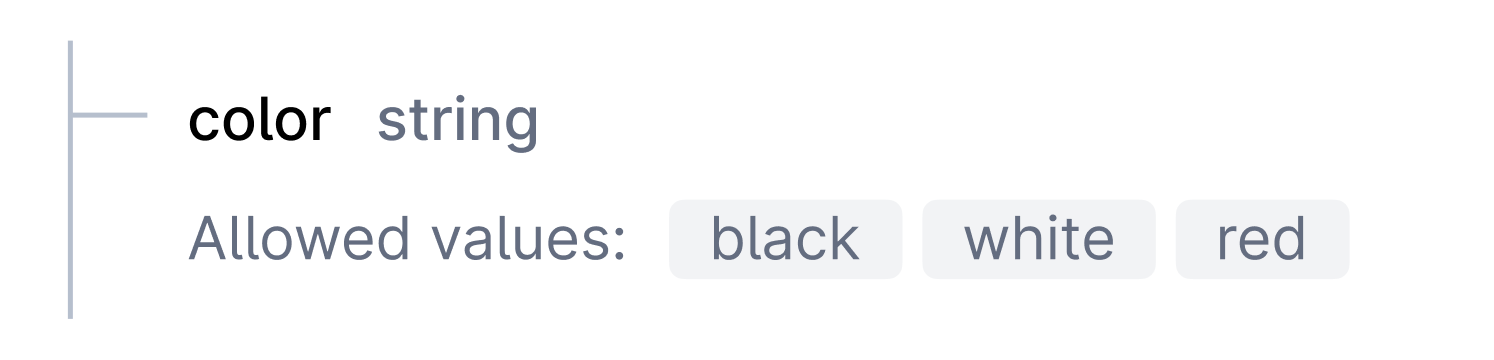
default
Section titled “default”The default value is displayed with the label “Default” followed by the value in a chip format.
properties: color: type: string enum: - black - white - red
example
Section titled “example”The keyword Examples is displayed in new line, and its value is shown in separate chip next to it.
Example 1:
properties: userId: type: string example: abc123
Example 2:
properties: tags: type: array items: type: string example: ["tag1", "tag2", "tag3"]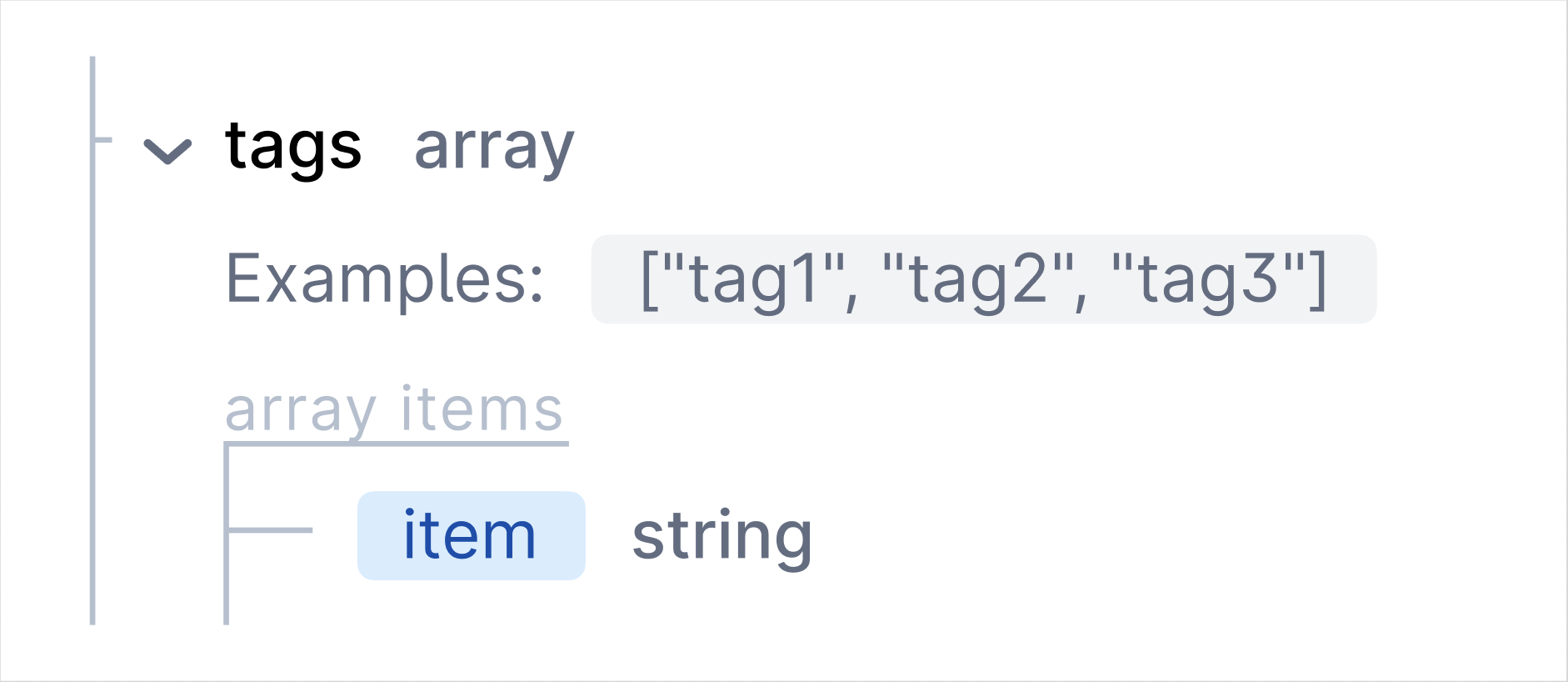
required
Section titled “required”The required properties are marked with an asterisk (*) next to the property name.
properties: user: type: object properties: id: type: integer name: type: string required: - id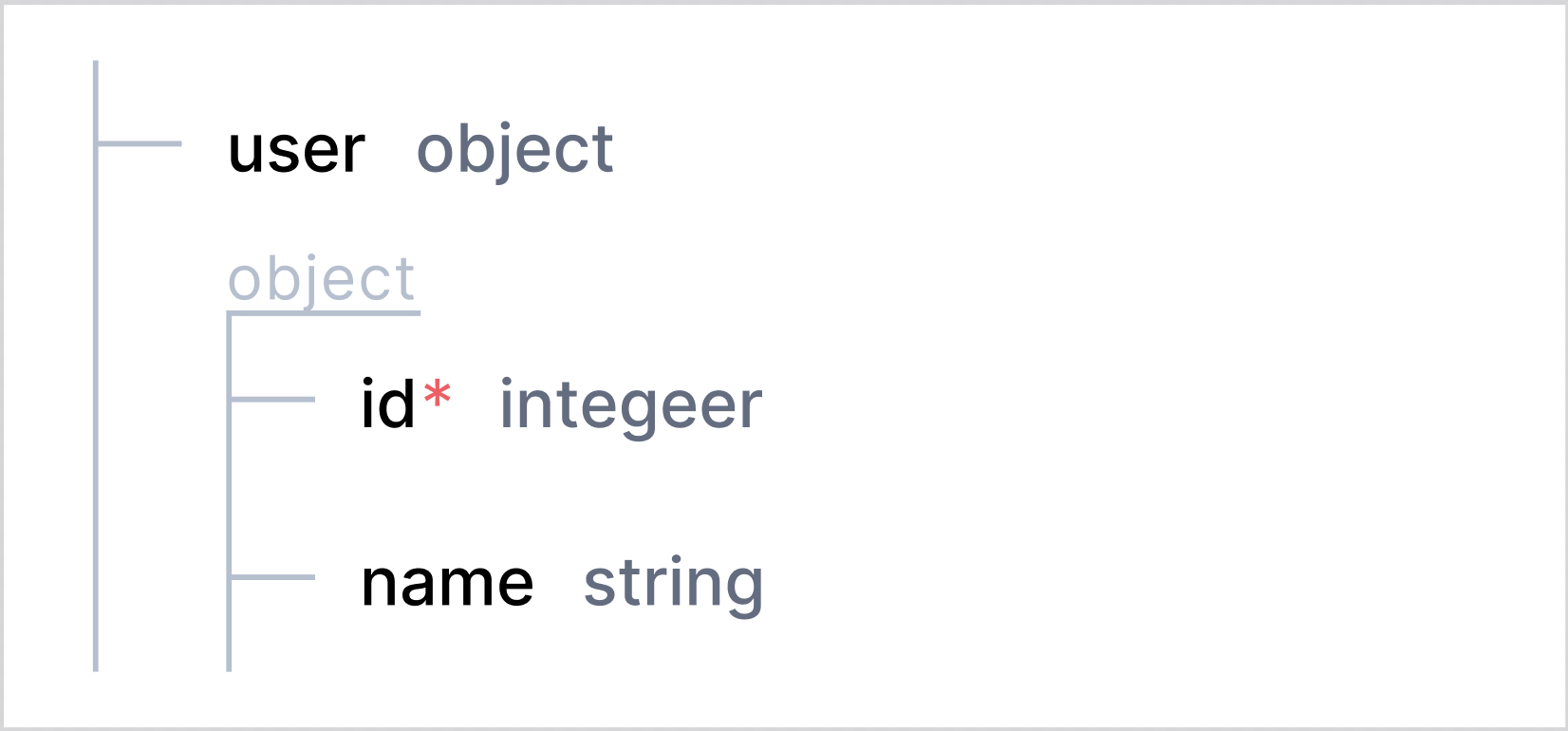
deprecated
Section titled “deprecated”When property is marked as deprecated, it is indicated with an orange “deprecated” badge next to property type
Example 1:
properties: user: type: object properties: id: type: integer oldName: type: string deprecated: true name: type: string required: - id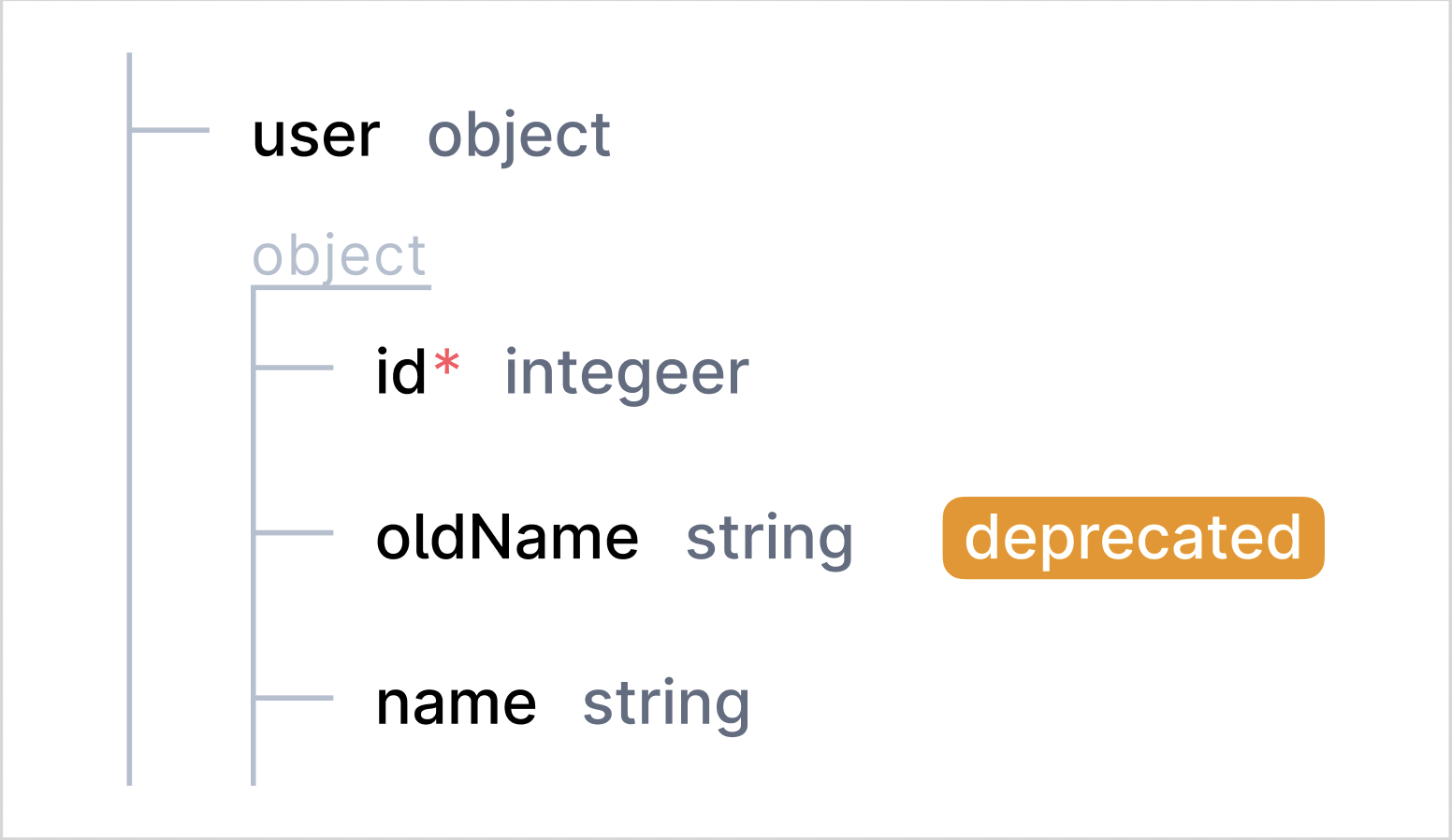
Example 2:
properties: tags: type: array deprecated: true items: type: string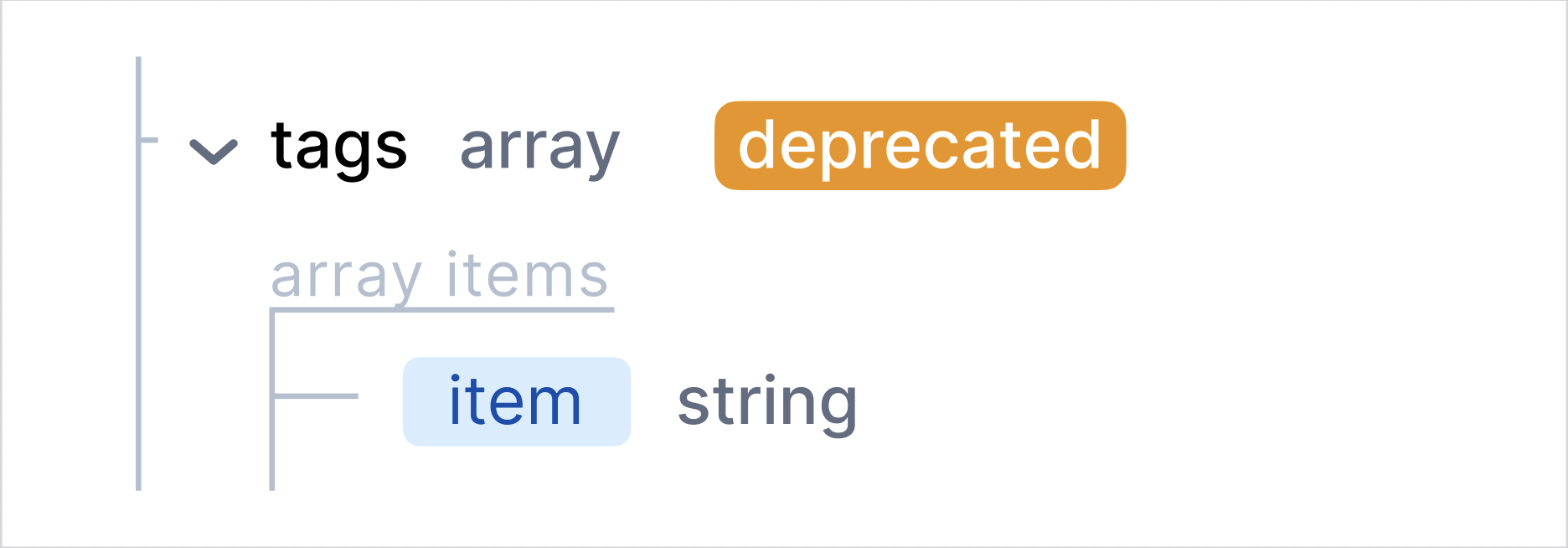
circular references
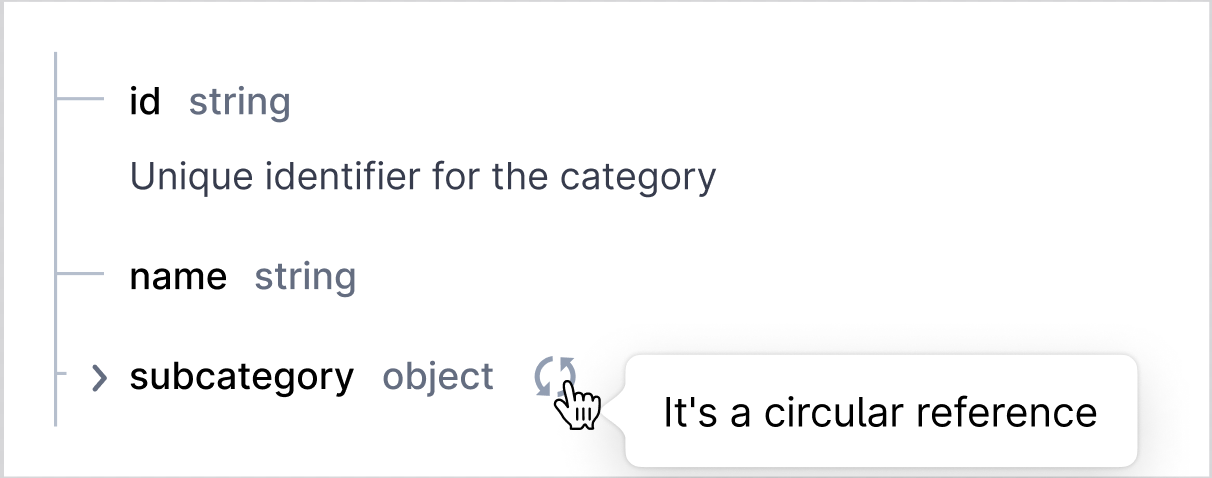
Section titled “circular references”The circular references is rendered by recursively displaying the same object structure within itself. In the UI, this results in the object being nested within itself repeatedly; each level of the object is expanded to show the same properties. Property with circular reference has special icon next to it.
schema:  $ref: "#/components/schemas/Category"
components:  schemas:    Category:      type: object      properties:        id:          type: string          description: Unique identifier for the category        name:          type: string        subcategory:          $ref: "#/components/schemas/Category"          description: Subcategory under this category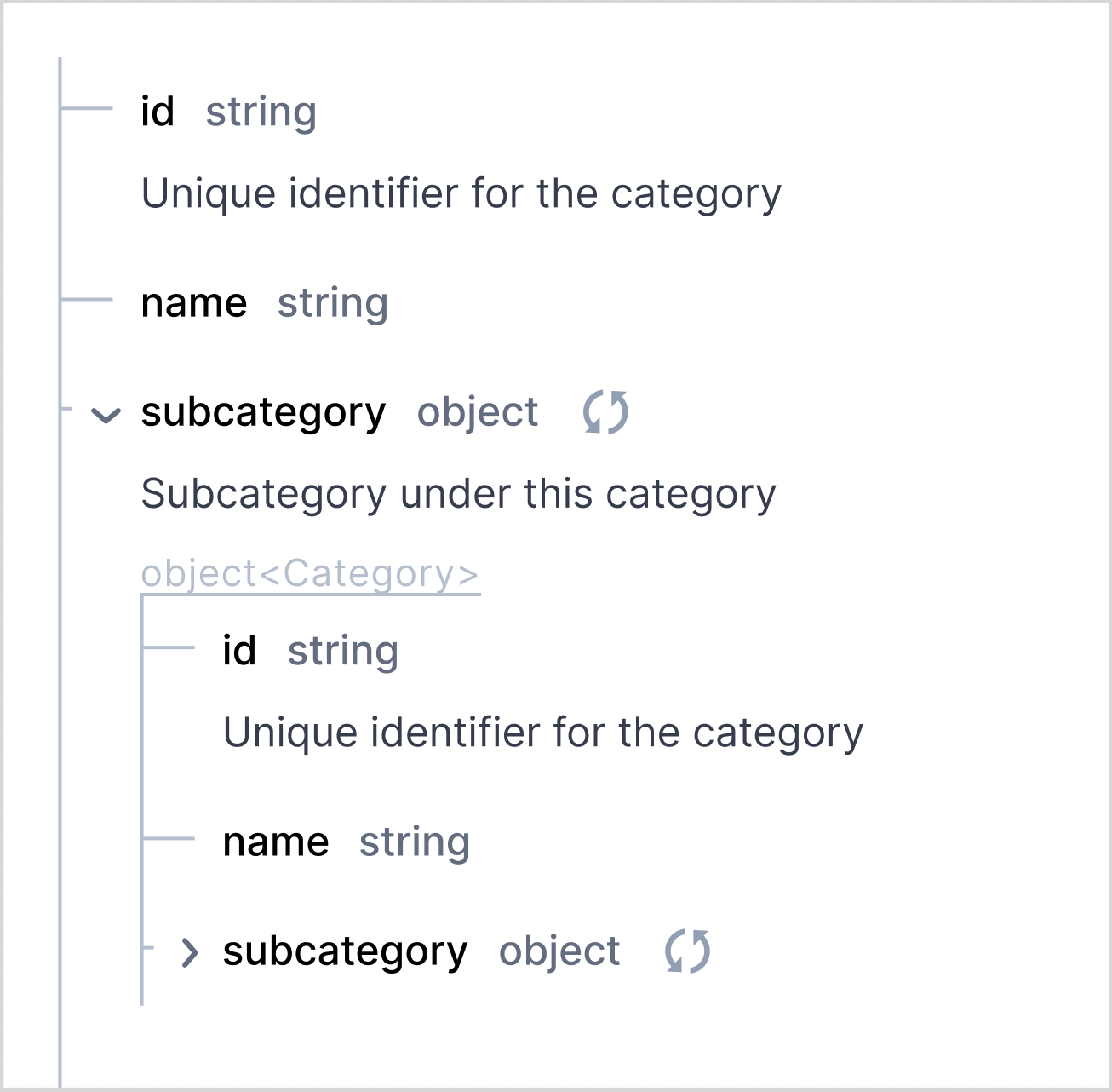
readOnly/writeOnly
Section titled “readOnly/writeOnly”Default value of readOnly/writeOnly is “false” and doc view does not display default value of this attribute even if it is explicitly specified for the schema/property.
- when readOnly is “true”, it is displayed as “read-only” blue badge next to the property type, indicating that this field is only available in responses and should not be sent in requests.
- when writeOnly is “true”, it is displayed as “write-only” blue badge next to the property type, indicating that this field is only available in requests and will not be returned in responses.
type: objectproperties: id: type: integer readOnly: true password: type: string writeOnly: true name: type: stringdescriminator
Section titled “descriminator”APIHUB does not support descriminator.
array’s specific attributes
Section titled “array’s specific attributes”Array items info is displayed as separate chip with “item” text to denote the element type within the array. Type of the array items is displayed next to the item chip. All other information about items is displayed in the same way as general properties. If items of array is array or object, then chevron will be displayed before the item chip.
Example 1:
properties: tags: type: array items: type: string
Example 2:
properties:  pets:    type: array    items:      $ref: "#/components/schemas/Pet"
components:  schemas:    Pet:      name:        type: string      color:        type: string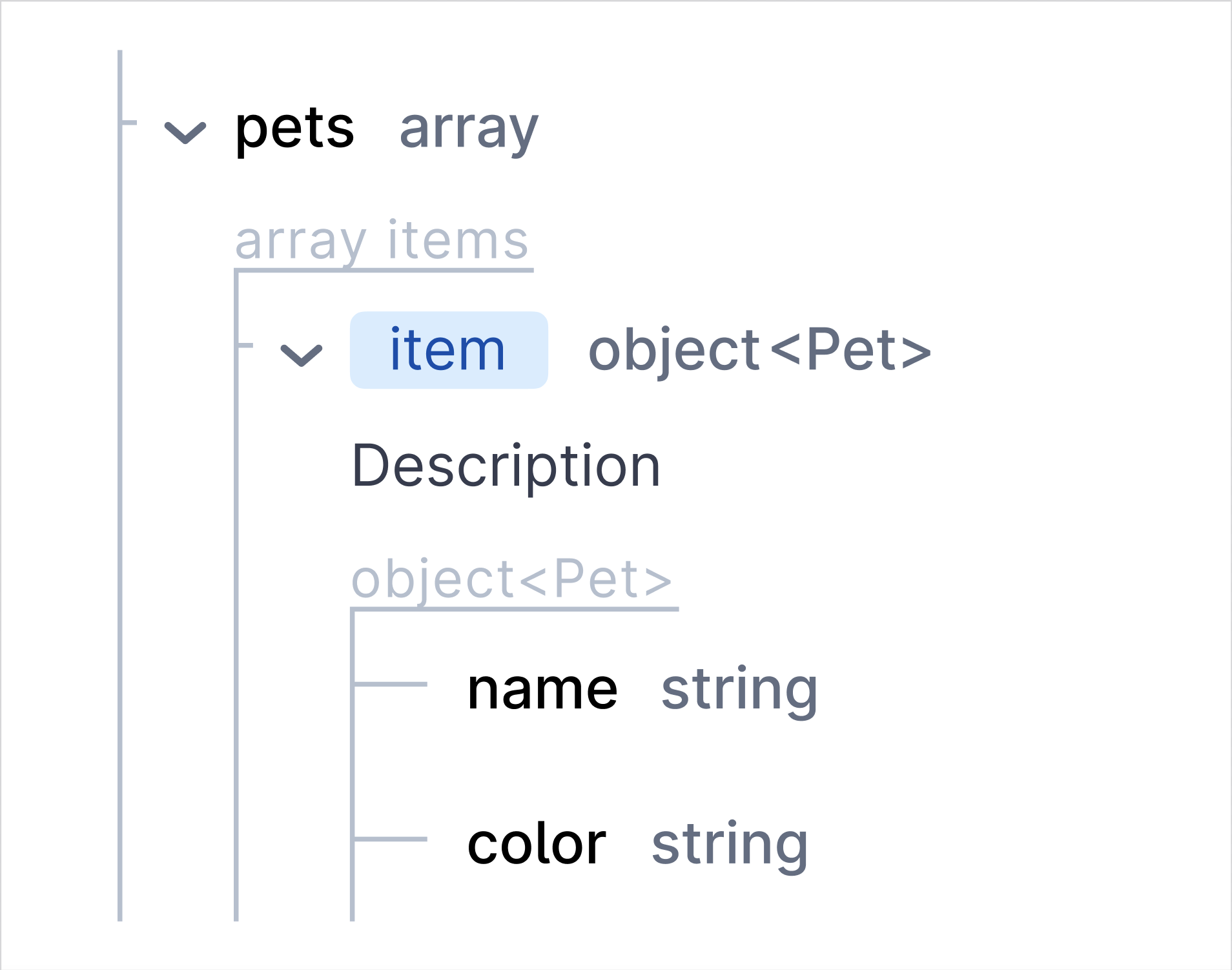
===
minItems/maxItems
Section titled “minItems/maxItems”The minItems/maxItems values are displayed together as “Items count” with values in separate chips.
properties: tags: type: array items: type: string minItems: 2 maxItems: 5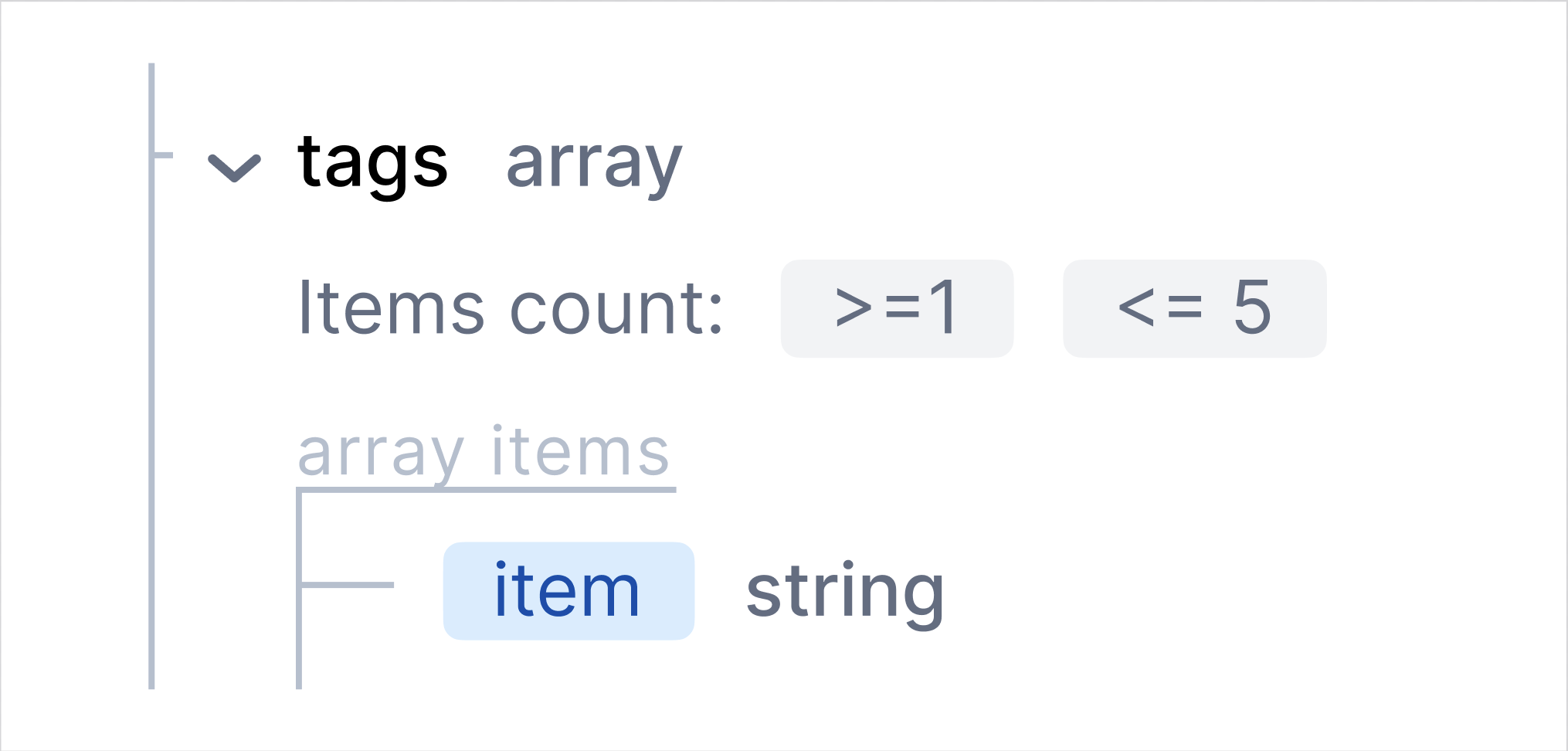
uniqueItems
Section titled “uniqueItems”Default value of “uniqueItems” is false and doc view does not display default value of this attribute even if it is explicitly specified for the schema/property.
“uniqueItems: true” for array property is displayed as “Unique items” with “true” value in a chip.
properties: tags: type: array items: type: string uniqueItems: true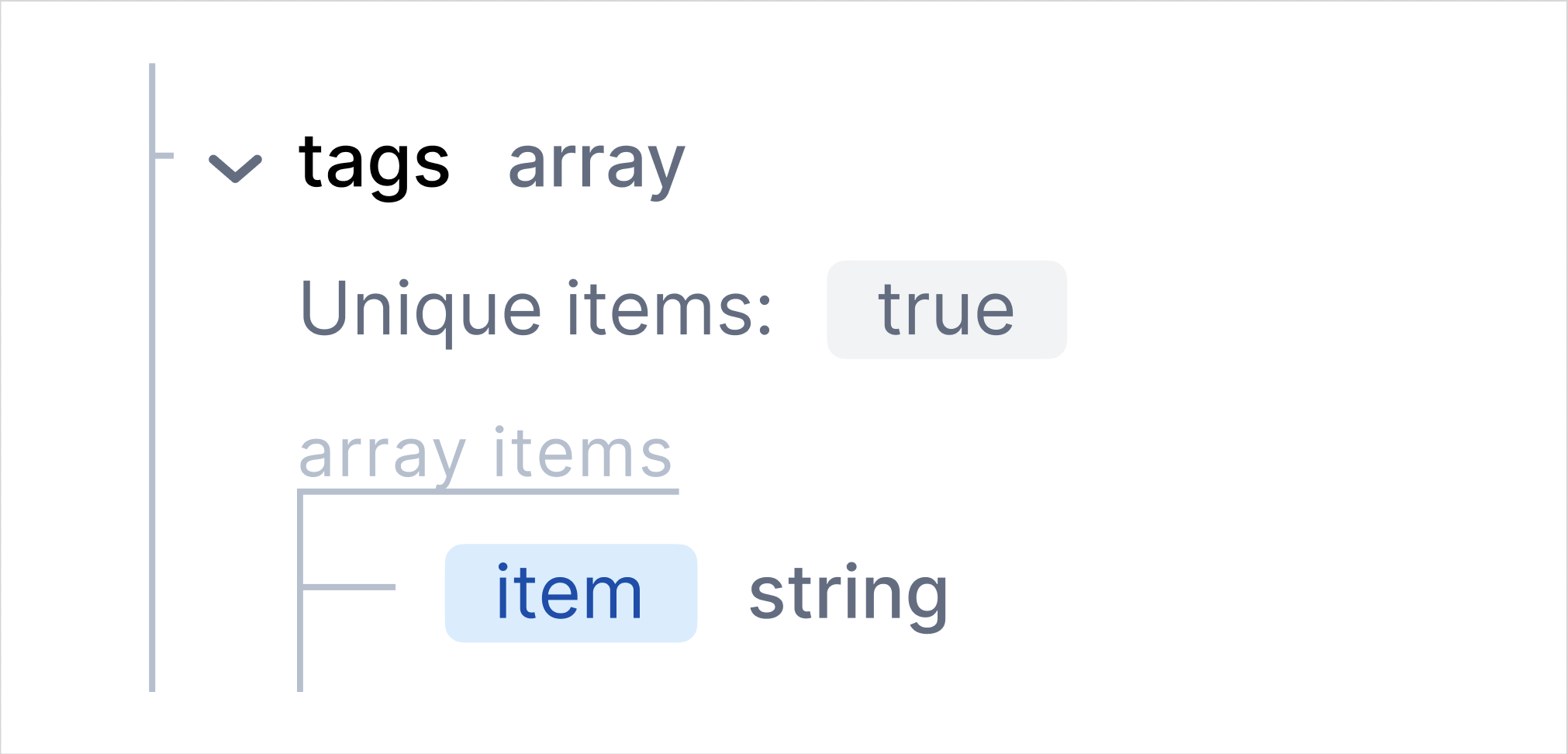
objects specific attributes
Section titled “objects specific attributes”The UI combines schemas with allOf by displaying all the attributes and/or properties from the subschemas together.
properties: error: allOf: - type: object description: Basic error model required: - message - code properties: message: type: string code: type: integer minimum: 100 maximum: 600 - type: object required: - rootCause properties: rootCause: type: string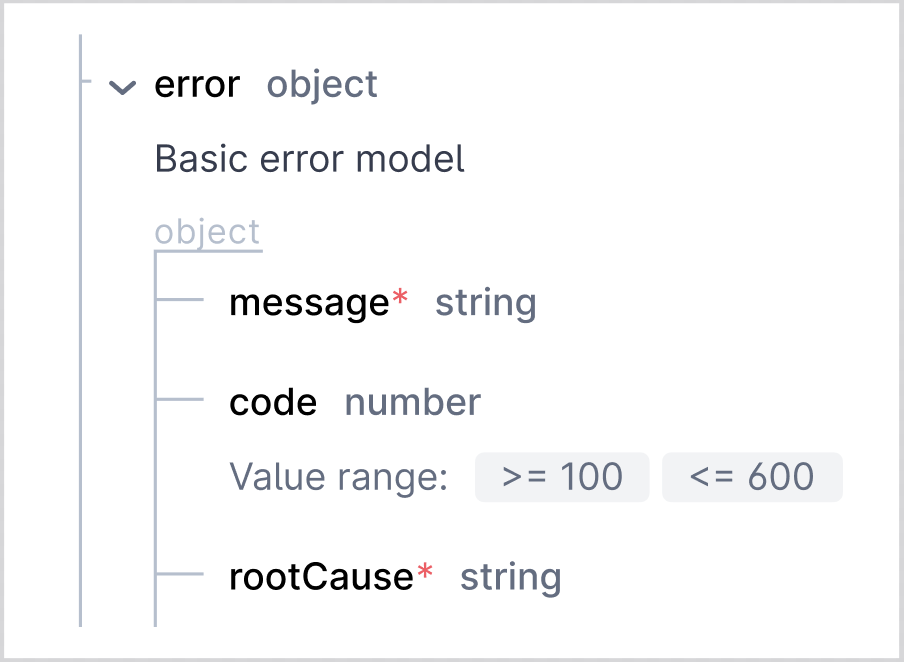
If subschemas contain the same attributes with different values, the resulting (combined) schema will contain the attribute with the value of the schema specified last. In the example below 1st subschema has description with value “descr1” and 2nd subschema - with value “descr2”, so the result schema will contain description with value “descr2”.
properties: error: allOf: - type: object description: descr1 required: - message - code properties: message: type: string code: type: integer minimum: 100 maximum: 600 - type: object description: descr2 required: - rootCause properties: rootCause: type: string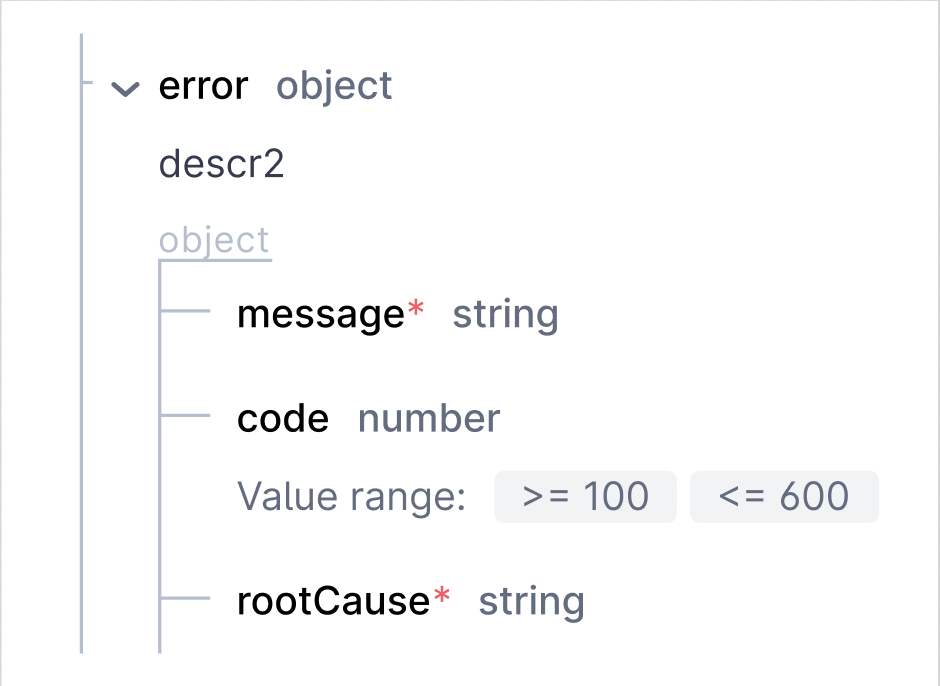
anyOf, oneOf
Section titled “anyOf, oneOf”- anyOf
- The anyOf is rendered as multiple schemas, where the UI indicates that one or more of these must apply. In the UI, this is shown under the variant section, with multiple potential objects displayed under “anyOf”.
- oneOf
- The oneOf is rendered similarly to anyOf, but with an indication that exactly one of the options must apply. In the UI, this is labeled as “oneOf” under the variant section, with the possible exclusive attributes shown.
type: objectdescription: An item variant using allOf, anyOf, oneOf, and notallOf: # AllOf: Combines multiple schemas that must all apply - type: object properties: type: type: string enum: [simple, complex] description: Type of variantanyOf: # AnyOf: One of the following schemas must apply - type: object properties: simpleAttribute: type: string description: A simple attribute - type: object properties: complexAttribute: type: object properties: detail: type: string description: A detailed descriptiononeOf: # OneOf: Exactly one of the following schemas must apply - type: object properties: exclusiveAttribute: type: string description: Exclusive attributeAPIHUB does not support “not” keyword.
minProperties/maxProperties
Section titled “minProperties/maxProperties”minProperties/maxProperties are displayed as “Properties count”. Value of minProperties and maxProperties are displayed in separate chips.
properties: entities: type: object properties: id: type: integer name: type: string description: type: string minProperties: 2 maxProperties: 5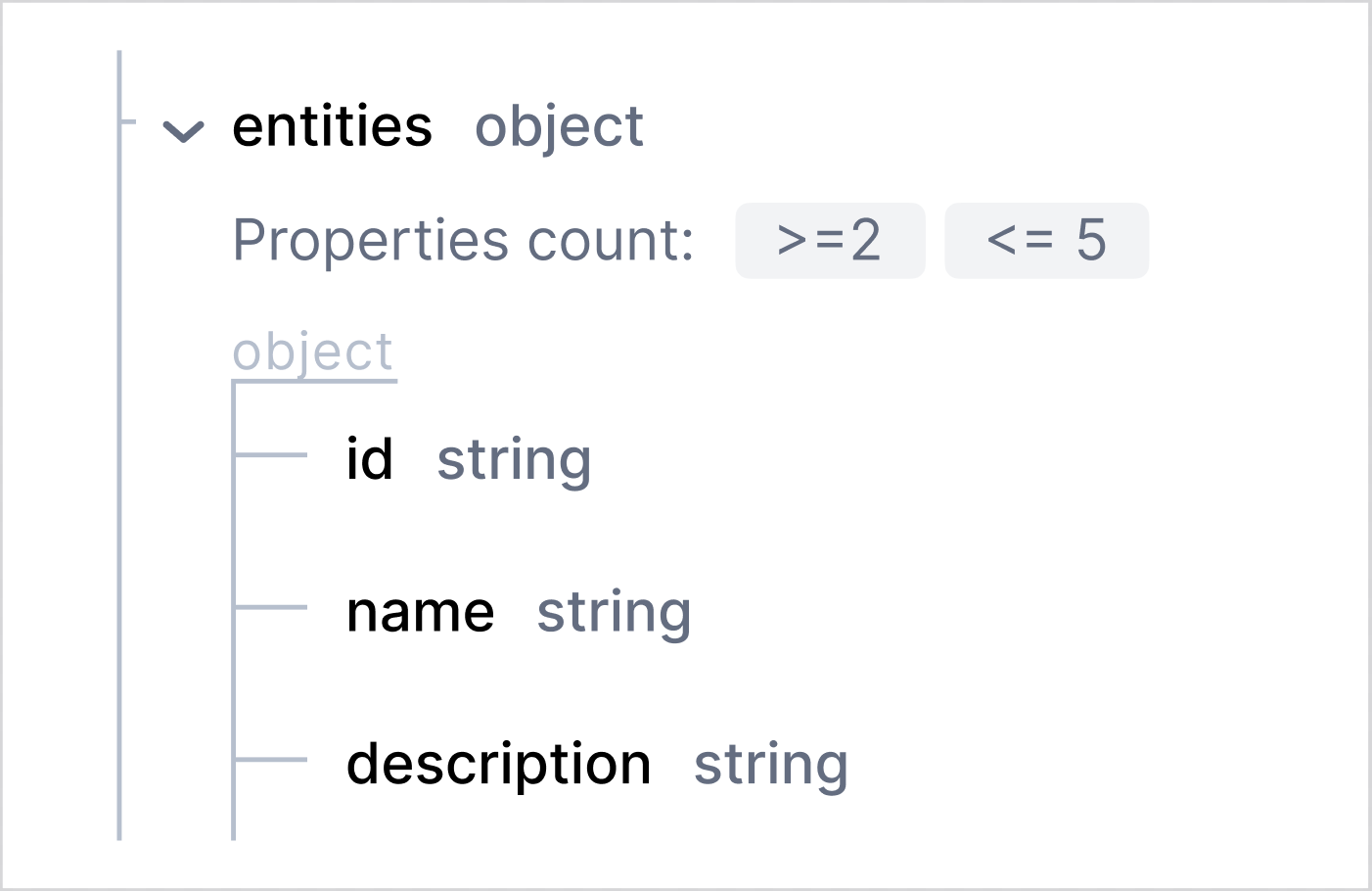
additionalProperties
Section titled “additionalProperties”Default value of “additionalProperties” is true and doc view does not display default value of this attribute even if it is explicitly specified for the schema/property.
The following records are equivalent and all of them mean that additionalProperties = true (which is default value, i.e. no information about additionalProperties is displayed in all of the options below)
Example 1:
properties: prop1: # option 1 type: object prop2: # option 2 type: object additionalProperties: true prop3: # option 3 type: object additionalProperties: {}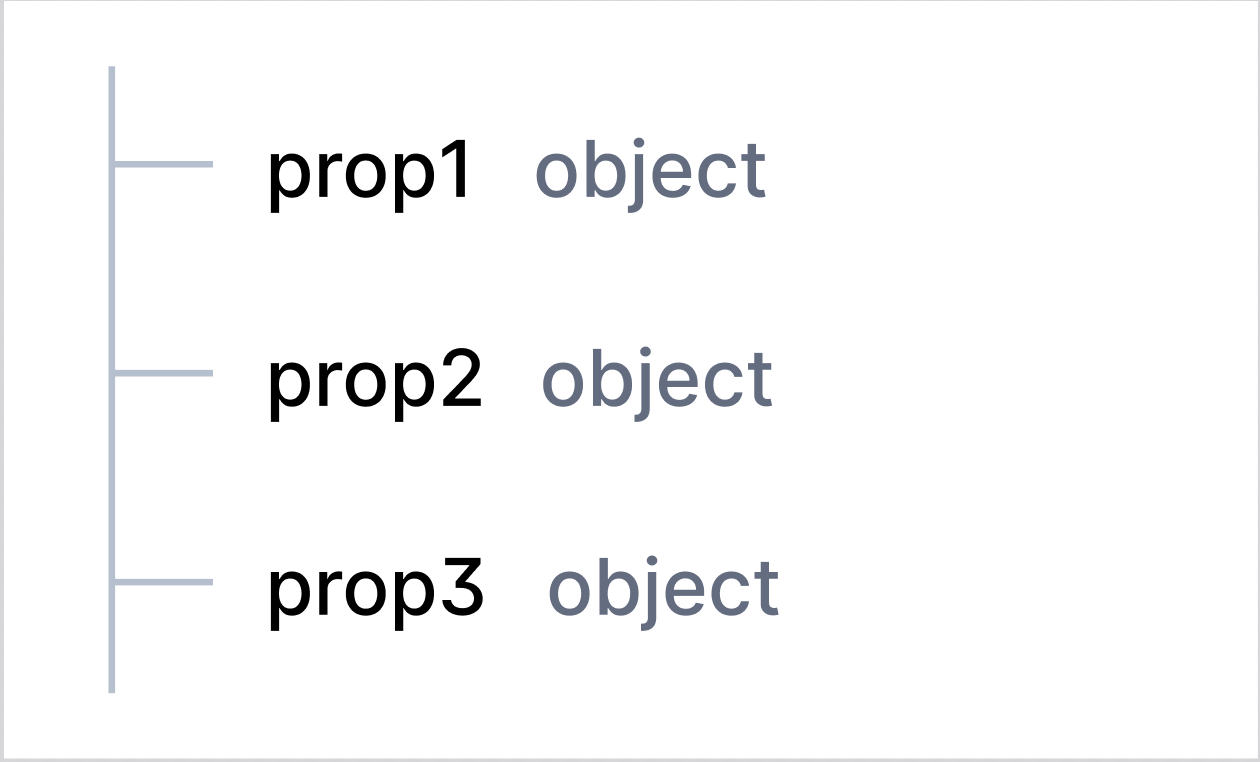
If additionalProperty is false, then “no additional properties” badge will be displayed after all properties of current object.
Example 2:
properties: customerAccount: type: object additionalProperties: false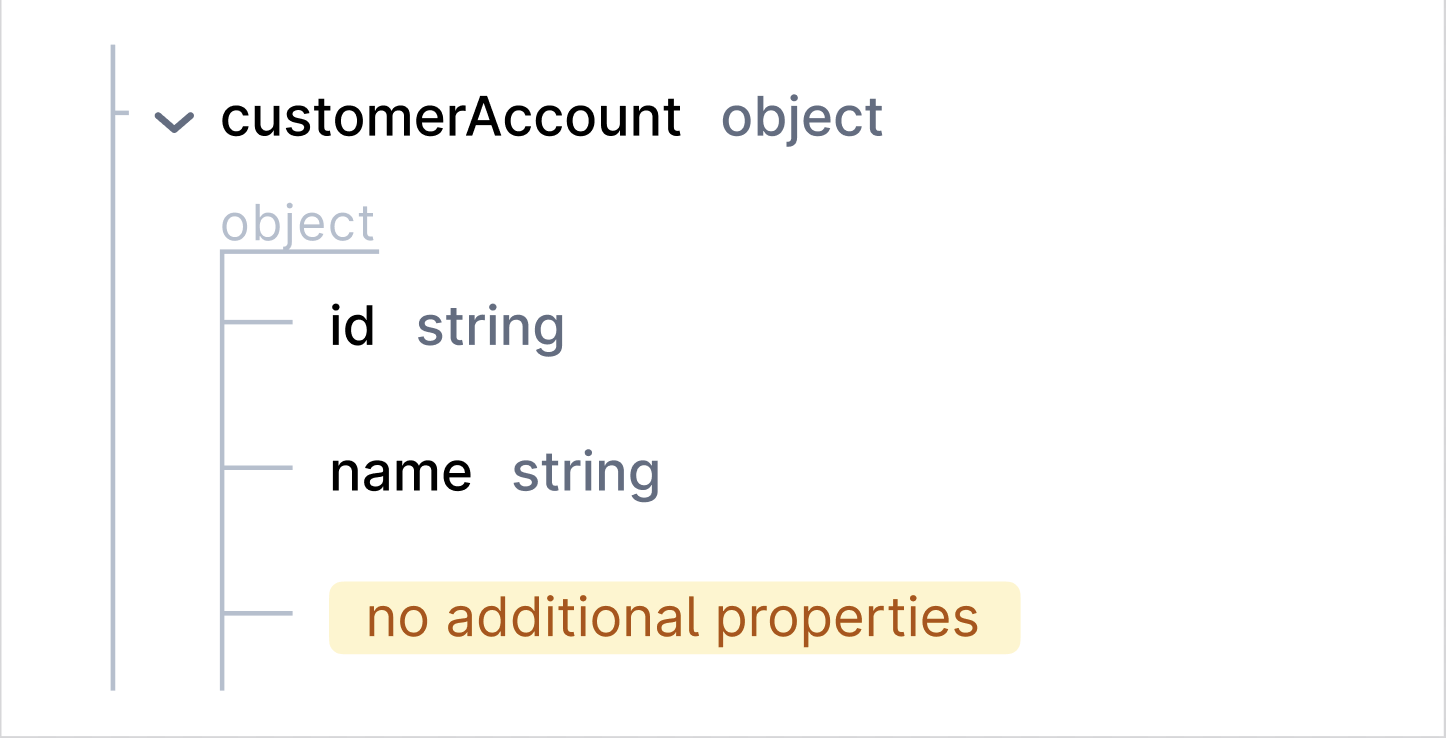
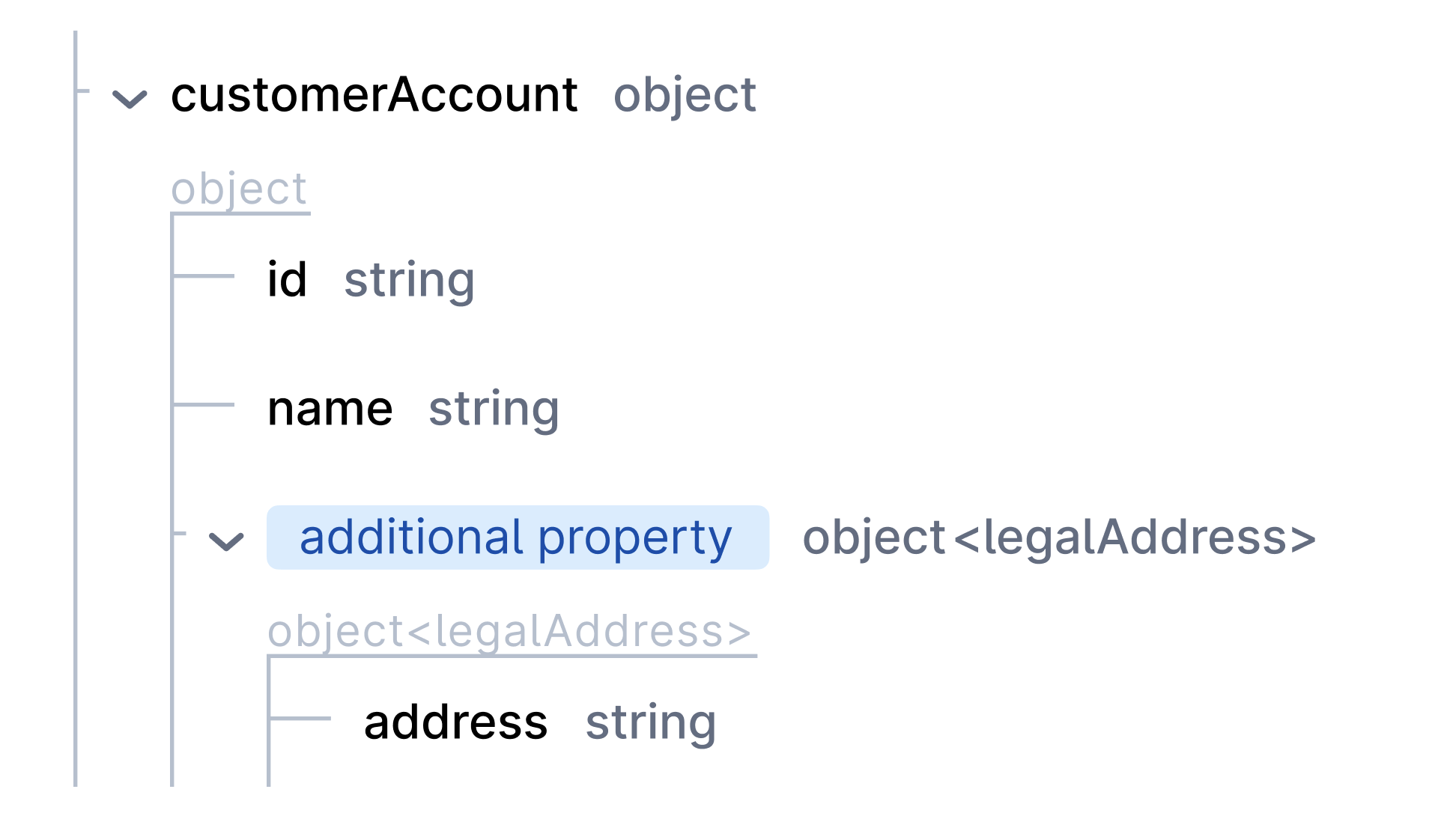
If additionalProperty is non-boolean schema, then it will be displayed as all other schemas with addition badge “additionalProperty” in the beginning.
Example 3:
properties: customerAccount: type: object properties: id: type: string name: type: string additionalProperties: type: string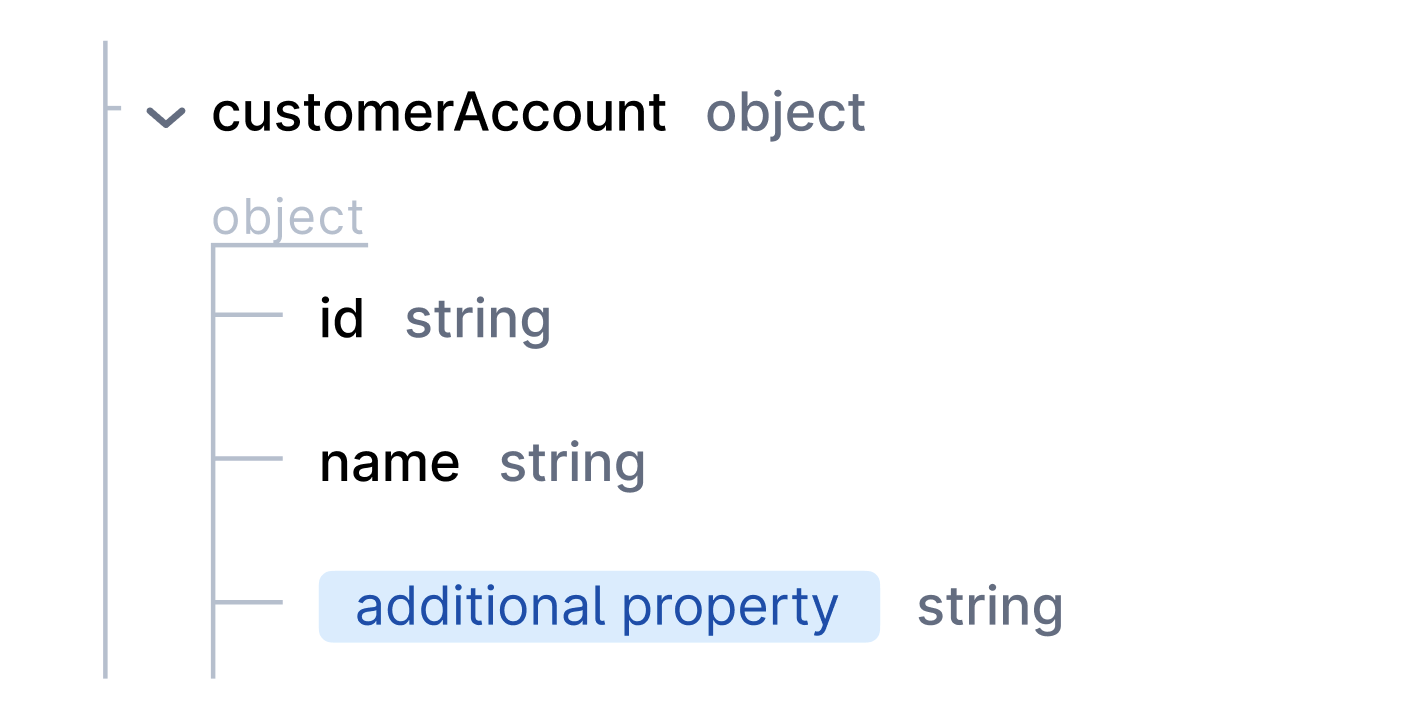
Example 4:
properties: customerAccount: type: object properties: id: type: string name: type: string additionalProperties: type: object title: legalAddress properties: address: type: string