DI-Portal-GF-001 Navigation to APIHUB (log in - log out)
Design Item ID: DI-Portal-GF-001
Design Item Name: Navigation to APIHUB (log in / log out)
Related Design Items: -
Related API:
- SSO integration status (GET /api/v1/system/configuration)
- SAML authentication (POST /api/v2/auth/saml)
Revision History:
| Date | Description |
|---|---|
Description
Section titled “Description”The functionality provides a user the ability to log in to Portal or log out from Portal.
Workflow 1
Section titled “Workflow 1”Start Point: The functionality is available when user follows the APIHUB link.
Execution:
- The user navigates to APIHUB.
- The system automatically authenticate user via SAML SSO and opens the home page of APIHUB Portal.
- API for SAML authentication: POST /api/v2/auth/saml.
Workflow 2
Section titled “Workflow 2”Start Point: The functionality is available when user clicks Logout in APIHUB.
Execution:
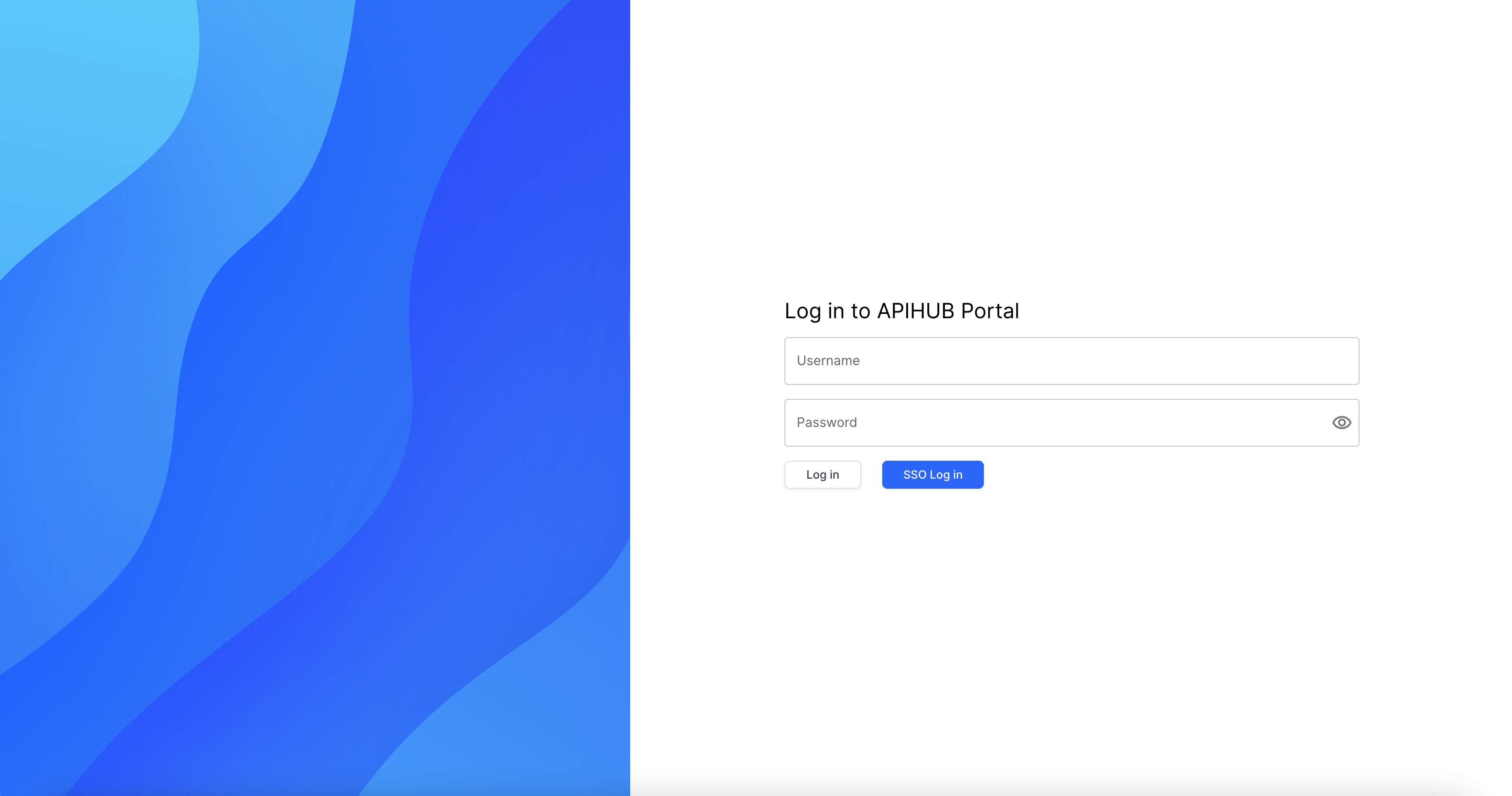
- The system opens ‘Log in to APIHUB Portal’ page.
- User clicks SSO Log In.
- The system authenticate user via SAML SSO.
- API for SAML authentication: POST /api/v2/auth/saml.
Workflow 3 (for non-production env only)
Section titled “Workflow 3 (for non-production env only)”Start Point:
- The functionality is available when user clicks Logout in APIHUB.
Execution:
- The system opens ‘Log in to APIHUB Portal’ page.
- User specifies username and password (of internal APIHUB user) in appropriate fields.
- When user specifies password, password is masked.
- If user clicks eye icon, then the system shows password without mask.
- User clicks Log in.
- The system authenticate user via basic authentication. If user specifies incorrect login and/or password, the system shows the message ‘Invalid credentials, please try again’
Screen View
Section titled “Screen View”